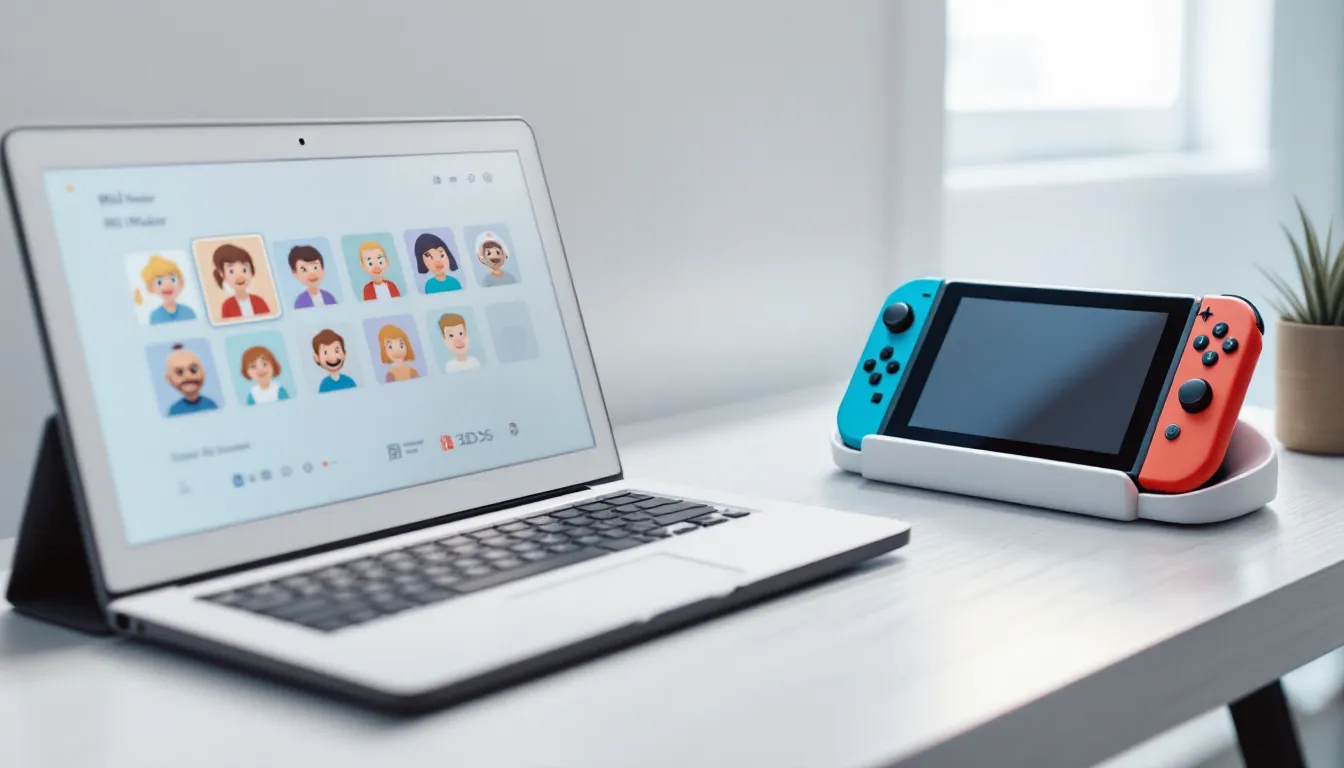
Nintendo’s Mii system has been a staple of the company’s ecosystem since the Wii era, letting players create personalized avatars that pop up in everything from party games to racing titles. Even though the Switch’s focus on more sophisticated profile systems, Mii Maker still holds a surprisingly important role in 2026, especially with the recent resurgence of Mii-centric titles and integration updates that dropped in system firmware 18.0.2.
Whether you’re building a Mii for the first time or looking to master advanced customization tricks, this guide covers everything from basic creation to cross-device transfers. We’ll break down the differences between Switch, 3DS, and Wii U implementations, explore creative workarounds for the platform’s limitations, and show you which games actually make use of your digital doppelgänger. Let’s immerse.
Key Takeaways
- Nintendo Mii Maker remains a functional avatar creation tool in 2026, with continued firmware support and active integration in games like Mario Kart 8 Deluxe, Nintendo Switch Sports, and Miitopia.
- The Nintendo 3DS offers the most robust Mii customization features including QR code sharing, while the Switch prioritizes convenience and modern game compatibility with simplified interfaces.
- Advanced Mii Maker techniques like feature exaggeration, complementary color coordination, and strategic proportions can elevate custom avatars from generic to instantly recognizable character designs.
- Transferring Miis between devices relies on Nintendo Account cloud sync for Switch-to-Switch transfers, while 3DS-to-Switch migration requires manual recreation due to lack of official backward compatibility.
- Mii Maker’s 20-year legacy suggests the avatar system will persist in Nintendo’s ecosystem, though the company’s focus on alternative character customization systems leaves its long-term evolution uncertain.
What Is Nintendo Mii Maker?
Mii Maker is Nintendo’s built-in avatar creation tool that lets players design customizable characters used across games, system profiles, and online services. Unlike generic profile pictures, Miis are 3D models with standardized proportions, making them compatible with dozens of Nintendo titles.
The system uses a modular approach: you pick from preset facial features, hairstyles, and accessories, then tweak colors and positioning. It’s designed for speed and accessibility rather than photo-realistic detail, which is why you can crank out a recognizable avatar in under two minutes.
Miis serve multiple functions beyond cosmetic flair. They act as your visual identity in online lobbies, appear as playable characters in compatible games, and populate virtual spaces like Mii Plaza on 3DS or the user selection screen on Switch.
The Evolution of Mii Characters Across Nintendo Platforms
Miis debuted with the Wii in 2006, where they were front-and-center in the system interface and pack-in title Wii Sports. The Wii’s Mii Channel offered basic customization with around 70 different feature combinations and became a cultural phenomenon, everyone from kids to grandparents had a Mii.
Wii U (2012) expanded the toolset significantly, adding more hairstyles, facial hair options, and the ability to copy Miis from photos using the GamePad camera. This was the first time Nintendo experimented with automated creation, though results were hit-or-miss.
Nintendo 3DS brought portability to Mii creation and introduced QR code sharing, which became the de facto method for distributing celebrity and character Miis across the community. The 3DS version also added StreetPass integration, where Miis from other players would visit your Mii Plaza.
The Nintendo Switch (2017) streamlined Mii Maker into a system settings submenu rather than a standalone app. Customization options decreased slightly compared to 3DS, Nintendo clearly prioritized first-party character rosters over Miis for flagship titles like Splatoon and ARMS. But, Miis persist in Mario Kart 8 Deluxe, Nintendo Switch Sports, and Miitopia, keeping them relevant.
Firmware updates through 2025-2026 have quietly added new accessories and hairstyle options, though Nintendo hasn’t made a big deal about these additions. Version 18.0.0 (December 2025) added six new eye shapes and three beard styles.
How Mii Maker Differs on Switch, 3DS, and Wii U
Each platform’s Mii Maker has distinct strengths and limitations.
Nintendo Switch offers the most straightforward interface. You access it through System Settings > Mii > Create/Edit a Mii. The Switch version supports:
- Touchscreen editing in handheld mode for precise feature placement
- Joy-Con pointer controls in docked mode
- Simplified color palettes (12 preset colors per feature versus custom RGB on older systems)
- Direct integration with your Nintendo Account for cloud sync
- No QR code import/export functionality
Nintendo 3DS remains the most feature-rich version for hardcore Mii creators. Key advantages include:
- QR code generation and scanning for easy Mii sharing
- Larger selection of facial features (particularly mouth shapes and eye types)
- Photo-to-Mii conversion using the 3DS camera
- StreetPass Mii Plaza integration
- Backward compatibility with Wii Mii imports via SD card transfer
Wii U sits between the two, offering expanded customization compared to Switch but lacking the portability and QR features of 3DS. The GamePad’s resistive touchscreen makes fine-tuning awkward compared to the 3DS stylus or Switch capacitive touch.
For pure creation depth, 3DS wins. For convenience and modern game compatibility, Switch takes it. If you’re serious about Mii customization in 2026, keeping a 3DS around for QR code access is still worthwhile, you can create on 3DS, transfer via Nintendo Account, then use your Mii on Switch.
How to Access Mii Maker on Your Nintendo Device
Each Nintendo platform buries Mii Maker in slightly different menus. Here’s how to find it on each system.
Accessing Mii Maker on Nintendo Switch
- From the HOME menu, press the HOME button to ensure you’re at the main screen
- Select the System Settings gear icon at the bottom of the screen
- Scroll down the left sidebar and select Mii
- Choose Create/Edit a Mii to start building a new avatar or modify existing ones
- Select Create New or pick an existing Mii from your gallery
The Switch stores up to 100 Miis locally. Any Mii marked as “Favorite” will appear first in compatible games’ character select screens.
You can also create Miis directly from certain games like Mario Kart 8 Deluxe or Nintendo Switch Sports by accessing their character customization menus, the game will prompt you to create or select a Mii if you don’t have one set as default.
Finding Mii Maker on 3DS and Wii U Consoles
On Nintendo 3DS:
- From the HOME menu, locate the Mii Maker icon (it looks like a face with a stylized smile)
- Tap the icon to launch the dedicated Mii Maker app
- Select Create a New Mii or choose from your existing gallery
The 3DS version opens immediately to a full-featured editor. You’ll see options for QR Code scanning at the bottom screen, we’ll cover that in the sharing section.
On Wii U:
- Open the Wii U Menu (the main interface with app tiles)
- Find the Mii Maker application icon
- Tap it with the GamePad touchscreen or select it with a controller
- Choose Create a Mii or Edit from the main menu
The Wii U version also lets you access Mii Maker through User Settings in System Settings, similar to Switch’s approach. Both paths lead to the same editor.
One quirk: if you’re using Wii Mode on Wii U (for backward compatibility), those Miis are stored separately. You’ll need to use the Mii Transfer Tool in Wii Mode’s Mii Channel to move them to Wii U’s main system.
Step-by-Step Guide to Creating Your First Mii
Building a Mii is intuitive once you understand the workflow. Here’s the complete process from blank slate to finished avatar.
Choosing Your Starting Point: From Scratch vs. Quick Start Options
When you start a new Mii, you’ll see several options:
Start from Scratch – You begin with a default neutral face and manually adjust every feature. This gives you maximum control but takes 3-5 minutes for a detailed Mii.
Quick Start templates – Switch and 3DS offer 12 preset face combinations (6 male, 6 female) based on common archetypes. Select one as a starting point, then customize from there. This cuts creation time to under 2 minutes.
Photo Mode (3DS and Wii U only) – The system attempts to generate a Mii from a photo taken with the camera. Results are wildly inconsistent and almost always require heavy manual editing. It’s faster to start from scratch unless you enjoy fixing algorithmic mistakes.
For your first Mii, grab a Quick Start template that roughly matches your face shape or desired aesthetic. You can always tweak everything afterward.
Facial Features: Eyes, Nose, Mouth, and Face Shape
Mii Maker organizes features into categories. Here’s what matters for each:
Face Shape and Skin Tone:
- Choose from 6 basic face shapes (oval, round, square, triangle, etc.)
- Adjust face width and height using sliders, these have surprising impact on final appearance
- Select skin tone from 12 preset options (Switch) or 20+ options (3DS/Wii U)
Eyes:
- 60+ eye styles across all platforms, from realistic to anime-inspired
- Adjust rotation (angle), vertical position, size, and spacing
- Eye color selection includes standard colors plus unusual options like red or violet
- Don’t overlook rotation, tilting eyes 1-2 clicks up or down dramatically changes expression
Eyebrows:
- 24 eyebrow shapes ranging from thin arches to bushy brows
- Adjust rotation, position, size, and spacing independently from eyes
- Eyebrow color doesn’t need to match hair (useful for older characters with grey hair but darker brows)
Nose:
- 12 nose types with adjustable size and vertical position
- Nose has no horizontal positioning, it’s always centered
- Smaller noses tend to look younger: larger, lower-positioned noses read as older
Mouth:
- 36 mouth expressions including smiles, frowns, smirks, and neutral looks
- Adjust size and vertical position
- Mouth shape has huge impact on personality, a slight smirk reads completely different from a wide grin
- Lip color options include natural tones and bold colors like purple or green
Pro tip: after placing each feature, step back and check proportions. The preview window shows your Mii from multiple angles, rotate it frequently.
Hair, Facial Hair, and Accessories
Hair:
- 70+ hairstyles across short, medium, and long categories
- Each style can be flipped horizontally for asymmetrical looks
- Hair color palette includes natural colors plus fantasy options (blue, pink, etc.)
- Switch has 12 color presets: 3DS offers full RGB sliders for custom shades
Facial Hair (if applicable):
- 6 beard styles and 6 mustache types
- Can mix and match beard + mustache or use either independently
- Facial hair color is separate from head hair color
- Adjust vertical position and size for each element
Accessories:
- Glasses: 8 styles from wire frames to thick-rimmed and sunglasses. Choose color and adjust size/vertical position.
- Headwear (3DS/Wii U): Hats and headbands are available in some versions. Switch omits most headwear options.
- Accessories in games often override Mii glasses, so don’t get too attached.
Many Nintendo Switch news sources have covered community requests for expanded accessory options, but Nintendo hasn’t signaled plans for major updates beyond the incremental additions in firmware patches.
Body Customization and Personal Details
Once facial features are set, you’ll configure body and metadata:
Body Type:
- Adjust height and build independently
- Height ranges from very short to tall: build ranges from thin to heavy
- These settings affect Mii proportions in games, taller, heavier Miis may have stat differences in Mario Kart or sports titles
Personal Details:
- Nickname: Up to 10 characters. This appears in games and system interfaces.
- Favorite Color: Used as your profile accent color in various menus. Doesn’t affect Mii appearance.
- Birthday: Optional, but some games acknowledge it with special messages.
- Gender: Male or female designation. Affects default voice in games with Mii voice acting.
Save Options:
- Mark as Favorite: Places this Mii at the top of selection lists
- Sharing Settings: On Switch, you can allow/disallow sharing via amiibo or game data
After saving, your Mii is ready to use. You can edit any feature at any time without restrictions.
Advanced Customization Tips and Creative Techniques
Once you’re comfortable with basic creation, these techniques will elevate your Miis from generic avatars to instantly recognizable characters.
Creating Celebrity and Character Lookalikes
The Mii community has perfected the art of recreating famous faces and fictional characters within the system’s limitations. Here’s the methodology:
Reference Images:
Find a clear, front-facing photo of your subject. Pay attention to the three defining features: eye shape/position, mouth expression, and face shape. These account for 80% of recognizability.
Exaggeration Over Accuracy:
Mii Maker’s cartoony proportions mean literal accuracy fails. Instead, exaggerate distinctive features. For example:
- Abraham Lincoln: Max face height, narrowest width, position mouth low, use longest beard
- Albert Einstein: Wild hair flipped for asymmetry, prominent nose, bushy eyebrows positioned higher and rotated outward
- Mario: Round face at max width, thick mustache, small nose positioned low
Color Matching:
Skin tone matters more than you’d think. If your subject has a distinctive complexion (very pale, deeply tan, etc.), nail the tone first.
Community QR Codes:
On 3DS, thousands of celebrity and character Miis are shared via QR code. Search “[character name] Mii QR code” and you’ll find community-created versions to scan. Some Japanese gaming news sites have featured extensive Mii galleries over the years, particularly for anime and game characters.
Using Color Palettes for Unique Designs
Color coordination separates amateur Miis from professional-looking avatars.
Complementary Color Theory:
Pick a primary color (usually hair), then choose a complementary or analogous color for eyes and favorite color. Examples:
- Purple hair + yellow eyes + purple favorite color
- Green hair + blue eyes + teal favorite color
- Red hair + green eyes + orange favorite color
Avoid pure black for everything, it looks flat. Use dark browns or greys instead.
Fantasy/Sci-Fi Designs:
For non-human characters, lean into unusual color combos:
- Aliens: Green/blue skin, red or purple eyes, wild hair colors
- Robots: Grey skin, glowing eyes (bright colors), metallic-looking hair (silver/gold)
- Monsters: Dark skin tones, bright contrasting eyes
Games like Miitopia actually reward creative color use, NPCs comment on unusual appearance combinations.
Seasonal/Themed Miis:
Rotate your Mii’s colors for holidays or events:
- Halloween: Orange hair, black or purple accents
- Winter: White/pale blue hair, cold-toned features
- Your team colors for esports events
Workarounds for Limited Features and Creative Hacks
Mii Maker’s constraints breed creativity. Here are community-discovered workarounds:
Creating “Hair” from Other Features:
Lack of anime-style bangs? Position large, rotated eyebrows above the eyes to simulate long bangs. It sounds absurd but works surprisingly well.
Glasses as Accessories:
Use thick-rimmed glasses as improvised goggles or visors by maxing out size and positioning them higher.
Facial Hair Stacking:
You can’t layer multiple beards, but you can combine a full beard with a mustache to create fuller facial hair than either offers alone.
Strategic Face Width/Height:
Extreme aspect ratios create non-human characters:
- Max width + min height = toad or goblin
- Min width + max height = skeleton or alien grey
Monochrome Challenge:
Create Miis using only black, white, and grey. The limitation forces you to focus on shape and proportion, often resulting in more distinctive designs.
The 3DS modding community has created homebrew tools that unlock hidden Mii features, but using modified Miis may cause issues with online functionality or game compatibility.
How to Share and Transfer Miis Between Devices
Moving Miis between systems or sharing them with friends requires different methods depending on your hardware.
Using QR Codes to Share Miis (3DS)
The Nintendo 3DS remains the gold standard for Mii sharing thanks to QR code functionality.
To Generate a QR Code:
- Open Mii Maker on 3DS
- Select the Mii you want to share
- Tap QR Code/Image Options on the bottom screen
- Choose Save QR Code Image
- The QR code is saved to your SD card in the DCIM folder
You can now post this QR code online, text it to friends, or print it.
To Scan a QR Code:
- Open Mii Maker on 3DS
- Tap QR Code/Image Options
- Select Scan QR Code
- Point your 3DS camera at the QR code
- The Mii imports automatically and can be edited
QR codes are platform-agnostic in theory, any 3DS can read any Mii QR code. But, custom colors or features from hacked Miis may not import correctly.
Large Mii communities exist on Reddit (r/Miis) and dedicated forums where users share QR codes for celebrities, game characters, and original designs. This was the primary distribution method from 2011-2020 and still sees active use.
Transferring Miis via Nintendo Account and Cloud
Modern devices use Nintendo Account linking for Mii transfers.
Switch to Switch Transfer:
- Ensure both Switch consoles are linked to the same Nintendo Account
- On the source Switch, mark the Mii as Favorite and enable Sharing
- On the destination Switch, log into the same Nintendo Account
- Open Mii settings, shared Miis should appear automatically
This method requires both devices to be online. Transfers aren’t instantaneous: sync can take 5-15 minutes.
3DS/Wii U to Switch:
Direct transfer between generations isn’t officially supported. The workaround:
- Manually recreate your Mii on Switch using the 3DS/Wii U version as reference
- Or use a smartphone camera to photograph your 3DS Mii, then recreate from the image
Nintendo hasn’t prioritized backward compatibility for Mii data, likely because the feature sets differ enough that automatic conversion would be messy.
Game-Specific Transfers:
Some games like Mario Kart 8 Deluxe and Super Smash Bros. Ultimate cache selected Miis within save data. If you transfer save data via cloud saves or local transfer, those Miis move with it, even if they’re not in your main Mii lineup.
For competitive players who use Miis as their main character (particularly in Smash Ultimate’s Mii Brawler/Gunner/Swordfighter classes), backing up save data with the correct Mii loadout is essential for tournament portability.
Games and Features That Use Your Mii Characters
Even though declining prominence, Miis remain integrated into a surprising number of Nintendo titles and system features as of 2026.
Popular Mii-Integrated Games on Nintendo Switch
Mario Kart 8 Deluxe (2017, updated through DLC Wave 6 in 2023):
Miis are fully playable racers with three weight class variants (Light, Medium, Heavy) determined by your Mii’s build settings. Stats are standardized within each class, your Mii won’t outperform Toad if they’re both light-class. Miis wear customizable racing suits matching your favorite color.
Nintendo Switch Sports (2022, version 1.3.0):
Miis are the primary avatars for all six sports (Tennis, Bowling, Chambara, Soccer, Badminton, Volleyball). The game automatically pulls your default Mii but lets you select alternates mid-game. Online matches in 2026 still feature heavy Mii usage, about 60% of players use custom Miis versus generic avatars.
Miitopia (2021 Switch version):
Perhaps the most Mii-centric game available, this RPG lets you cast Miis in every NPC role from party members to villains to random townspeople. The game’s humor relies heavily on the dissonance between serious fantasy scenarios and goofy personalized avatars. You can import Miis or let the game auto-generate characters.
Super Smash Bros. Ultimate (2018, final balance patch 13.0.1):
Mii Fighters (Brawler, Swordfighter, Gunner) are customizable characters with 12 special moves per type. Competitive legality varies by tournament, but Miis saw increased representation in 2024-2025 post-patch. Custom movesets make tier placement fluid, but Mii Brawler is generally considered upper-mid tier.
Tomodachi Life (3DS) and potential Switch sequel:
Rumors circulated in late 2025 about a Tomodachi Life successor for Switch, though Nintendo hasn’t confirmed anything. The original 3DS game (2013) was a life sim where Miis lived, formed relationships, and engaged in surreal mini-games. If a Switch version materializes, it would likely drive renewed Mii creation interest.
Other Notable Titles:
- Wii Sports Club (Wii U)
- Mario & Sonic at the Olympic Games Tokyo 2020 (Switch) – Miis usable in side events
- Clubhouse Games: 51 Worldwide Classics (Switch) – Miis appear as your avatar in online matches
Classic Mii Games on Wii, Wii U, and 3DS
The Wii era was peak Mii integration. These games defined the avatar system’s early popularity:
Wii Sports / Wii Sports Resort (2006 / 2009):
Pack-in titles that made Miis synonymous with motion controls. Your Mii competed in Tennis, Boxing, Bowling, Golf, and more. Wii Sports Resort expanded to 12 sports including Swordplay and Archery.
Wii Fit / Wii Fit Plus (2007 / 2009):
Your Mii served as your fitness avatar, with the game tracking weight and BMI tied to your character. The Balance Board integration made this a killer app for non-gamers.
Mario Kart Wii (2008):
First appearance of Miis as playable racers. They drove on karts and bikes with medium-class stats. This established the template for future Mario Kart Mii integration.
Wii Party / Wii Party U (2010 / 2013):
Mini-game collections designed around 4-player Mii usage. Board game modes and social party games kept these relevant for casual gatherings.
Tomodachi Life (3DS, 2013):
Surreal life sim where Miis lived in an apartment building, formed friendships and romances, and participated in bizarre scenarios. Cult favorite with active speedrunning community as of 2026.
StreetPass Mii Plaza (3DS):
Built-in app that collected Miis from nearby 3DS users via StreetPass wireless. Mini-games like Puzzle Swap and Find Mii turned Mii collection into a meta-game. StreetPass functionality ended with 3DS production, but the app remains playable offline.
Retro gaming communities in 2026 still host Wii Sports and Mario Kart Wii tournaments. JRPG and anime gaming coverage sites have noted persistent interest in Tomodachi Life, with fans campaigning for a remaster or sequel.
Troubleshooting Common Mii Maker Issues
Even with straightforward design, Mii Maker has quirks and technical hiccups. Here’s how to fix the most common problems.
Why Your Mii Isn’t Appearing in Certain Games
Issue: You’ve created a Mii, but it doesn’t show up in Mario Kart 8 Deluxe, Switch Sports, or other compatible games.
Causes and Fixes:
- Mii not marked as Favorite:
Many games only pull from your Favorite Miis. Solution: Go to System Settings > Mii > Select your Mii > Edit > Enable the heart icon for “Favorite.”
- Game-specific caching:
Some titles cache available Miis when you first boot them. If you created a Mii after launching the game, it won’t appear until you close and relaunch. Hard-close the game (press X on the HOME menu icon > Close), then relaunch.
- User profile mismatch:
Each Switch user profile has separate Mii collections. If you created a Mii under User A but you’re playing as User B, that Mii won’t be accessible. Log into the correct profile or recreate the Mii under the active profile.
- Mii sharing disabled:
Check System Settings > Mii > [Your Mii] > Sharing Settings. If “Allow sharing” is disabled, some games may not recognize it. Enable sharing and reboot the game.
- Corrupted Mii data:
Rare, but possible. Symptoms include games crashing when selecting Miis or Miis displaying as blank faces. Solution: Delete the problematic Mii and recreate it. If the issue persists across all Miis, initialize Mii data in System Settings (this deletes all Miis, back up via photos first).
For 3DS/Wii U:
Mii Plaza and Mii Maker maintain separate Mii storage in some scenarios. If a Mii appears in Mii Maker but not in games, check Mii Plaza > Settings > Mii List. You may need to manually “send” the Mii from Mii Maker to the shared game pool.
Fixing Transfer and Sync Problems
Issue: Miis aren’t syncing between devices or through Nintendo Account cloud.
Troubleshooting Steps:
- Verify Nintendo Account linking:
System Settings > Users > [Your Profile] > Verify that the same Nintendo Account is active on all devices.
- Check internet connection:
Mii sync requires online connectivity. Test connection in System Settings > Internet > Test Connection. If NAT type is D or E, you may have firewall/router issues blocking Nintendo’s sync servers.
- Force manual sync:
Switch doesn’t have a manual “sync Miis now” button, but you can trigger it by:
- Opening System Settings > Mii
- Waiting 30-60 seconds without touching anything
- Backing out and checking again in 5 minutes
- Time-zone and system clock errors:
If your Switch system clock is significantly wrong (off by days/months), cloud services fail. System Settings > System > Date and Time > Sync via Internet.
- Account region mismatch:
Nintendo Accounts have regional settings. If your 3DS was registered in Japan but your Switch is US-region, Mii data may not transfer smoothly. Unfortunately, there’s no fix beyond manual recreation.
QR Code Scanning Issues (3DS):
- “Unable to read QR Code” error: Ensure good lighting and hold the 3DS 4-6 inches from the QR code. Glossy screens cause glare: matte paper works better.
- Mii imports but looks wrong: The QR code may contain custom colors or hacked features unsupported by your firmware. Update 3DS system software to the latest version (11.17.0 as of 2023, no updates since).
- SD card errors during QR save: Your SD card may be full or corrupted. Free up space or reformat the SD card (back up data first).
Last Resort:
If Mii functionality is completely broken (crashes, freezes, data loss), back up your Switch save data via Nintendo Switch Online, then perform a system factory reset. Reinstall games and restore saves afterward. This is extreme but resolves persistent software corruption issues.
The Future of Mii Maker and Nintendo Avatars
As of early 2026, Mii Maker occupies an uncertain position in Nintendo’s ecosystem. The company has experimented with alternative avatar systems, Splatoon’s Inklings, Animal Crossing’s customizable villagers, and Breath of the Wild/Tears of the Kingdom’s deep Link customization all offer more detailed personalization than Miis.
Yet Nintendo hasn’t abandoned Miis entirely. The system firmware updates through version 18.0.2 (December 2025) continue adding incremental features, suggesting ongoing internal support. The real question is whether Nintendo views Miis as legacy compatibility or as a platform worth evolving.
Evidence for Continued Support:
- Nintendo Switch Sports received new cosmetics tied to Miis in its April 2025 update (version 1.3.0), including seasonal outfits
- Patent filings from Nintendo in late 2024 described “enhanced avatar creation with machine learning facial recognition,” which could signal a Mii Maker overhaul
- The surprise popularity of Miitopia on Switch (over 1.2 million copies sold as of Q4 2025) demonstrated sustained player interest
Evidence for Phase-Out:
- Major Nintendo franchises (Zelda, Splatoon, Metroid, Pokémon) have moved away from Mii integration
- The Switch successor (tentatively called Switch 2, rumored for late 2026 release) has shown no Mii-related features in leaked developer documentation
- Third-party support for Miis is effectively zero, indie and AAA studios use proprietary character creators
Community speculation suggests Nintendo may unveil “Mii 2.0” alongside their next hardware generation, a modernized avatar system with deeper customization, better art style, and blockchain-based sharing (Nintendo filed NFT-related patents in 2024, though they’ve been silent on implementation).
Alternatively, Miis may transition into a retro novelty, maintained for backward compatibility but not actively developed. The Wii/3DS generation of gamers has nostalgia for the system, which could keep it alive in the same way GameCube controller support persists for Smash Bros.
What to Expect in 2026-2027:
- Firmware updates will likely continue at current pace (2-3 new features per year)
- If a Tomodachi Life sequel or Wii Sports successor launches, Miis will remain relevant
- Switch 2 will almost certainly support existing Miis for backward compatibility, even if a new system launches alongside it
- QR code functionality won’t return to modern platforms, Nintendo has moved entirely to account-based systems
For creators invested in Mii design, the 3DS remains the best long-term platform due to its feature depth and QR archival capabilities. Switch is ideal for active gameplay but offers less creative control. Preserving your Miis through screenshots, QR codes, or detailed notes ensures they survive platform transitions.
Conclusion
Nintendo’s Mii Maker has evolved significantly since its 2006 debut, adapting across four console generations while maintaining its core appeal: quick, accessible avatar creation that works across dozens of games. Whether you’re building a lookalike for Mario Kart 8 Deluxe, populating Miitopia with friends and family, or just want a personalized icon for your Switch profile, the tools are more capable than they first appear.
The differences between Switch, 3DS, and Wii U implementations mean serious creators benefit from using multiple platforms, 3DS for QR sharing and deep customization, Switch for modern game compatibility. Advanced techniques like feature exaggeration, color theory, and creative workarounds let you push past the system’s apparent limitations.
As Nintendo’s hardware roadmap unfolds through 2026 and beyond, Miis face an uncertain future. But the system’s 20-year legacy and ongoing firmware support suggest they’ll remain part of the Nintendo ecosystem for the foreseeable future, even if they’re no longer the flagship avatar solution. Your Miis aren’t going anywhere, and now you’ve got the knowledge to make them look exactly how you want.