
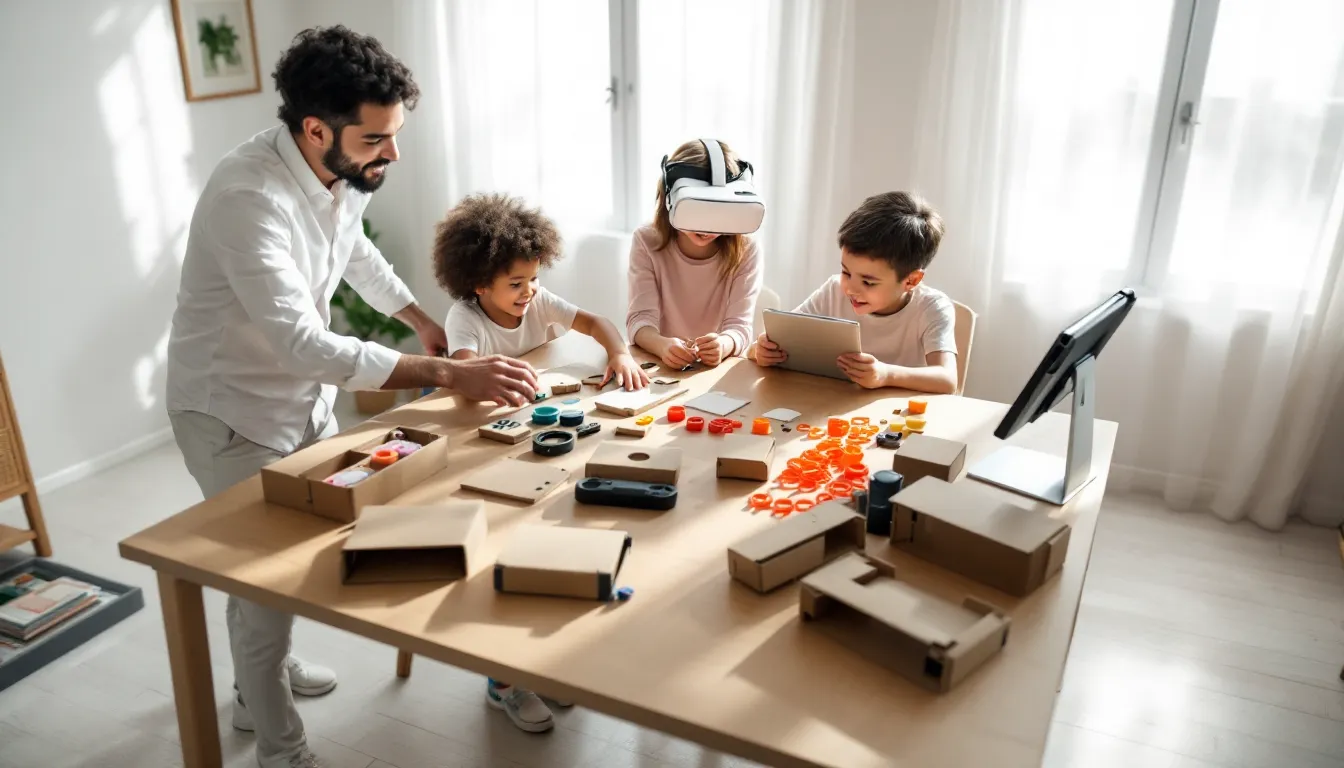
Nintendo’s experiment with cardboard engineering and virtual reality remains one of the most peculiar, and surprisingly functional, gaming peripherals ever released. The Nintendo Labo VR Kit launched in April 2019, bringing DIY VR to the Switch with a promise: build your own controllers from flat-packed cardboard, slide in your console, and experience virtual reality without expensive headsets or external sensors. Three years after discontinuation, the kit still circulates in the secondary market, and the question lingers: is this cardboard VR novelty worth hunting down, or just a curious footnote in Nintendo’s hardware history? For families, creative tinkerers, and Nintendo enthusiasts curious about accessible VR, the Labo VR Kit offers something genuinely unique, even if it can’t compete with dedicated VR platforms on specs alone.
Key Takeaways
- The Nintendo Labo VR Kit combines affordable, build-it-yourself cardboard Toy-Cons with VR experiences using the Switch’s built-in gyroscope, making it the most accessible VR platform for families and creators.
- Assembly of each Toy-Con ranges from 45 minutes (Wind Pedal) to 2.5 hours (Blaster) and includes genuine engineering lessons, making the building process as rewarding as the gameplay itself.
- The kit’s hardware limitations—640×720 per-eye resolution, 60Hz refresh rate, no head strap, and arm fatigue—restrict comfortable play sessions to 10-15 minutes, but align with Nintendo’s design intent for younger players.
- The software library includes 64+ mini-games across six Toy-Cons, VR Plaza, and Toy-Con Garage VR (a visual programming tool), but lacks third-party support and received no major updates after 2019.
- While discontinued since 2021, the Nintendo Labo VR Kit remains worth seeking on secondary markets ($30-150) for families prioritizing hands-on creativity and STEM learning over high-performance VR gaming.
- Exclusive VR support in titles like The Legend of Zelda: Breath of the Wild and Super Mario Odyssey exists, but the implementations are tech demos rather than compelling reasons to replay the games in 3D.
What Is the Nintendo Labo VR Kit?
The Nintendo Labo VR Kit is a build-it-yourself VR system for Nintendo Switch, combining cardboard construction sets (called Toy-Cons) with software experiences designed around each creation. Unlike traditional VR headsets that use external tracking stations or built-in sensors, the Labo VR Kit relies entirely on the Switch’s built-in gyroscope, accelerometer, and HD Rumble features. The Joy-Cons slot into cardboard housings, transforming into VR goggles, blasters, cameras, and more.
Released on April 12, 2019, the kit was Nintendo’s answer to entry-level VR, no expensive hardware required, no complicated setup, and no age restrictions that plague other VR platforms. The Labo VR Kit works exclusively with the original Nintendo Switch model: it’s incompatible with the Switch Lite (no detachable Joy-Cons) and awkward with the Switch OLED due to its larger, heavier screen.
Understanding the Toy-Con VR Experience
Each Toy-Con functions as both a controller and a physical interface. The VR Goggles serve as the base, you hold them up to your face like binoculars rather than strapping them on. This design choice addresses Nintendo’s concern about prolonged VR exposure for younger players, though it also means your arms will tire during longer sessions.
The Joy-Cons provide input and haptic feedback. The IR Motion Camera on the right Joy-Con tracks reflective stickers placed inside the cardboard, enabling the kit to detect trigger pulls, pedal presses, and other physical interactions. It’s low-tech by modern VR standards, but the execution is surprisingly clever, pull the Blaster’s trigger, and the cardboard mechanism pushes a reflective tab into the IR camera’s view, registering your shot in-game.
Visual quality sits at 1280×720 per eye when docked, 1280×720 total in handheld (the Switch screen splits into two eye viewports). There’s no lens adjustment, IPD settings, or head strap. Refresh rate is locked at 60Hz, and field of view is narrow compared to dedicated VR headsets. Frame drops are noticeable in more complex scenes.
What’s Included in the Full Kit vs. Starter Set
Nintendo offered two purchase options at launch:
Full Kit ($79.99 MSRP)
- VR Goggles Toy-Con
- Blaster Toy-Con
- Camera Toy-Con
- Elephant Toy-Con
- Bird Toy-Con
- Wind Pedal Toy-Con
- All cardboard sheets, rubber bands, reflective stickers, and orange grommets needed for assembly
- Game cartridge with 64+ mini-games and experiences
- Screen holder (orange plastic frame that secures the Switch inside the VR Goggles)
Starter Set + Blaster ($39.99 MSRP)
- VR Goggles Toy-Con
- Blaster Toy-Con
- Same game cartridge with full software library
- All necessary assembly materials for these two Toy-Cons
Expansion Sets were sold separately: Camera + Elephant ($19.99) and Bird + Wind Pedal ($19.99). Buying the Starter Set plus both Expansion Sets cost the same as the Full Kit but required three separate purchases.
The game cartridge is identical across all versions, buying the Starter Set doesn’t lock you out of content. You can play Camera, Elephant, Bird, and Wind Pedal experiences using just the VR Goggles, though the intended physical controllers make them significantly more enjoyable.
Building Your Toy-Con VR Creations: A Step-by-Step Overview
Assembly is half the experience. Each Toy-Con arrives as flat-packed cardboard sheets with pre-scored fold lines and numbered tabs. The software includes interactive 3D building instructions that you can rotate, zoom, and step through at your own pace, no paper manuals, no guesswork.
The build process teaches basic engineering principles: how folding patterns create structural integrity, how rubber bands store tension for trigger mechanisms, and how reflective tape placement enables input detection. It’s genuinely educational, though younger kids (under 8) will need adult assistance for the more complex Toy-Cons.
Assembly Tips for First-Time Builders
Clear a large workspace. Cardboard sheets are big, you’ll want a dining table or clean floor space. Keep pieces organized: once you pop out a part, it’s not always obvious which sheet it came from.
Follow the on-screen instructions exactly. The software highlights each piece in a specific order for a reason. Skipping ahead or improvising will cause problems later. Use the rotation controls liberally, some fold directions are only clear from certain angles.
Crease fold lines firmly before assembling. Run your fingernail or a butter knife along scored lines before folding. Clean creases make assembly easier and the final Toy-Con sturdier.
Don’t force anything. If a tab won’t insert smoothly, you’ve likely missed a fold or grabbed the wrong piece. Forcing it will tear the cardboard.
Test mechanisms as you build. The instructions pause at key points to let you test triggers, slides, and moving parts. If something doesn’t work during these checks, backtrack immediately, it won’t magically fix itself later.
Handle rubber bands carefully. They provide tension for triggers and springs, but they can snap if overstretched. The kit includes spares, but losing one mid-assembly is frustrating.
Estimated Build Times for Each Toy-Con
These estimates assume first-time builders following on-screen instructions without breaks:
- VR Goggles: 90 minutes. Straightforward construction, but precise folding is critical for the lenses to align correctly.
- Blaster: 2.5 hours. The most complex Toy-Con, featuring a pump-action reload mechanism, trigger assembly, and stock attachment.
- Camera: 2 hours. Includes a functional push-button shutter and rotating lens barrel.
- Elephant: 1.5 hours. Simpler build, but the trunk mechanism requires careful rubber band placement.
- Bird: 1.5 hours. The trigger and flapping wing linkage need precise alignment.
- Wind Pedal: 45 minutes. The simplest Toy-Con, essentially a foot-operated button in a cardboard housing.
Experienced builders or those assembling multiple kits report 20-30% faster times on subsequent builds. Kids aged 8-12 typically take 1.5x to 2x these estimates.
All Six Toy-Con VR Experiences Explained
Each Toy-Con pairs with dedicated software experiences. The game cartridge includes 64 mini-games and activities total, spread across the six Toy-Cons, VR Plaza, and Toy-Con Garage VR.
VR Goggles: The Foundation of Every Experience
The VR Goggles are required for all other Toy-Cons, they’re the viewing device, not a standalone controller. You can play a handful of mini-games with just the Goggles: a simple platformer where you tilt your head to guide a marble, a rhythm game where you headbang to the beat, and a block-stacking puzzler.
The Goggles weigh about 13 ounces when the Switch is inserted. Holding them up to your face for more than 10-15 minutes gets tiring, especially for younger players. There’s no head strap included, though third-party sellers offered DIY strap kits. Nintendo deliberately avoided a strap design to discourage extended play sessions, likely for legal and health reasons.
Blaster: Alien-Shooting Action
The Blaster is the kit’s showpiece, a full-sized sci-fi rifle with a pump-action reload, aiming down sights, and haptic feedback through HD Rumble. The included games range from wave-based alien shooters to underwater creature defense and a quirky cooking game where you blast food ingredients into a pot.
Intergalactic Blasterz is the standout, offering 20+ levels of increasingly chaotic alien invasions. You physically pump the Blaster to reload, a cardboard mechanism pushes a reflective tag in and out of the IR camera’s view, registering each pump in software. It’s absurdly satisfying, even if aim precision is limited by the Switch’s gyro sensitivity.
The Blaster also features a scope attachment and stock for bracing against your shoulder. These additions improve stability but add bulk, making the whole assembly somewhat unwieldy for smaller kids.
Camera: Creative Photography Adventures
Camera Toy-Con experiences focus on virtual photography and observation challenges. You explore dioramas and underwater scenes, snapping photos of hidden creatures and completing scavenger hunts. The Camera’s physical shutter button clicks when pressed, triggering the in-game capture.
One standout mode tasks you with photographing fish in specific poses or angles for an in-game magazine. Another has you documenting cryptids in a forest, complete with grainy “evidence” filters and conspiratorial narration. It’s more meditative than action-packed, which might work well for creative Nintendo enthusiasts looking for a break from twitch-reflex gameplay.
The Camera’s rotating lens barrel is a nice touch, it zooms your view in and out with a satisfying mechanical click, even though it’s entirely cardboard and rubber bands.
Elephant: Painting and Puzzle Challenges
The Elephant Toy-Con attaches to the VR Goggles like a trunk, and you swing your head to move the elephant’s nose in-game. Experiences include 3D painting (wave the trunk to spray color in virtual space), ball-balancing puzzles, and a quirky clay-sculpting mode.
The standout experience is Marble Run, where you design 3D obstacle courses by painting ramps and barriers, then release marbles to test your creation. It’s more about experimentation than challenge, there’s no fail state, just tinkering until your marble reaches the goal.
The Elephant’s trunk is long and adds significant weight to the front of the VR Goggles. Expect arm fatigue within 5-10 minutes, especially if you’re actively swinging your head to paint or sculpt.
Bird: Soaring Through the Skies
The Bird Toy-Con is a handheld controller you squeeze to flap wings in flight-based games. You pilot a mechanical bird through island-hopping challenges, collecting items, delivering packages, and racing through checkpoint rings.
The flying feels surprisingly intuitive, squeeze the trigger to flap and gain altitude, release to glide. Tilt your head to steer. The standout mode, Island Hopper, tasks you with exploring a tropical archipelago, landing on platforms, and solving light environmental puzzles.
There’s also a racing mode where you compete against AI birds through aerial courses. It’s short (maybe 2 hours to complete all challenges) but replayable if you’re chasing high scores or speed records.
Wind Pedal: Platforming in First-Person VR
The Wind Pedal is a foot-operated button you stomp to jump in first-person platformers. It’s the simplest Toy-Con mechanically but enables surprisingly tricky platforming challenges.
You navigate floating platforms, avoid obstacles, and solve spatial puzzles, all in first-person VR. The physical act of stomping to jump adds a layer of physicality missing from standard controller-based platformers. Some players find it more immersive: others find it gimmicky after the novelty wears off.
There’s also a frog-based rhythm game where you stomp in time with music, dodging hazards and collecting flies. It’s shallow but works well as a party demo, watching someone frantically stomp a cardboard pedal while wearing VR goggles is inherently entertaining.
VR Plaza and Garage: Creating Your Own VR Games
Beyond the Toy-Con-specific experiences, the cartridge includes VR Plaza (a collection of standalone mini-games) and Toy-Con Garage VR (a visual programming tool for creating custom VR experiences).
Exploring VR Plaza Mini-Games
VR Plaza houses 64 bite-sized games and activities, many playable with just the VR Goggles. Highlights include:
- Kite: Control a kite through rings using head movements and Joy-Con tilts.
- Ocean Swim: A meditative underwater exploration mode with no objectives, just drifting through coral reefs.
- Doodle: Draw in 3D space with your head movements, creating floating art.
- House: A bizarre room-escape puzzler where you manipulate a tiny house by tilting your head, using gravity to solve challenges.
- Hop Dodge: A rhythm-action game where you physically duck and lean to avoid obstacles.
None of these are AAA experiences, they’re proof-of-concept demos stretched into 5-10 minute activities. But several are genuinely clever, especially House, which uses the VR perspective to create spatial puzzles impossible in flat gaming.
VR Plaza also functions as a hub for accessing all Toy-Con experiences and customizing your avatar. It’s more charming than necessary, with a whimsical art style and bouncy UI sounds that feel distinctly Nintendo.
Using Toy-Con Garage VR to Build Custom Experiences
Toy-Con Garage VR is a node-based programming tool that lets you create custom VR games and interactions without writing code. You connect input nodes (Toy-Con buttons, gyro data, IR camera inputs) to output nodes (visual effects, sounds, object spawns) using simple if-then logic.
For example: Connect the Blaster’s trigger input to a “spawn explosion” output node, and you’ve created a basic fireworks launcher. Add a timer node and a score counter, and you’ve got a target-shooting mini-game.
It’s more limited than full game engines like Unity or Unreal, but the visual interface makes it accessible to kids and non-programmers. Dedicated creators have built surprising things, custom rhythm games, spatial puzzles, even rudimentary racing experiences, though sharing creations is cumbersome (no online workshop: you have to physically pass your Switch to someone or share screenshots of your node setup).
Toy-Con Garage VR shines as an educational tool. It teaches basic programming logic, cause-and-effect relationships, and iterative design thinking. Several educators have incorporated it into STEM curriculums, though Nintendo’s discontinuation of the product line has made that increasingly difficult.
Compatible Games: Bringing VR to Your Favorite Titles
Nintendo added VR support to select first-party titles via free updates, letting you experience existing games in stereoscopic 3D. The implementation is basic, no motion controls, no room-scale movement, just the existing game rendered in VR.
Super Mario Odyssey VR Mode
Super Mario Odyssey received VR support in April 2019, adding three bite-sized VR missions accessible from the Main Menu. These aren’t integrated into the main campaign, they’re standalone challenges set in mini-kingdoms, each taking 5-10 minutes to complete.
You collect music notes in one, navigate a platforming gauntlet in another, and solve perspective-based puzzles in the third. Motion controls are disabled: you play with standard button inputs while holding the VR Goggles to your face.
The VR effect adds depth to Mario’s movement, making judging jump distances slightly easier (or harder, depending on your spatial awareness). It’s a neat novelty, but the lack of camera control and awkward ergonomics (holding Goggles + Joy-Con grip simultaneously) make it more of a tech demo than a compelling reason to replay the game.
The Legend of Zelda: Breath of the Wild VR Support
The Legend of Zelda: Breath of the Wild also gained VR compatibility in April 2019, and the implementation is far more ambitious, the entire game is playable in VR from start to finish.
You enable VR mode from the options menu, and the game switches to stereoscopic rendering. There’s no additional content, no VR-specific mechanics, just the base game in 3D. Performance takes a hit, frame drops become more frequent, especially in demanding areas like Korok Forest or during effects-heavy combat.
Ergonomics are the bigger issue. You’re holding the VR Goggles with one hand and a controller with the other, or trying to balance the Goggles on your face while using both hands for complex inputs. Camera controls are mapped to the right stick, which means constantly adjusting your view instead of relying on head tracking.
The depth perception is impressive, spotting distant shrines and navigating cliffs feels more intuitive, but the novelty wears off quickly. Most players report switching back to flat mode within an hour or two. Communities discussing Nintendo updates at the time were mixed on whether the VR addition was a genuine enhancement or a promotional stunt for Labo.
Other VR-Compatible Nintendo Switch Games
Super Smash Bros. Ultimate received extremely limited VR support, you can watch replays in VR, and that’s it. No VR battles, no spectator mode during live matches, just saved replays rendered in stereoscopic 3D. It’s largely pointless.
Captain Toad: Treasure Tracker offers a handful of VR-compatible levels as DLC. The diorama-style gameplay translates better to VR than Breath of the Wild’s open world, but the limited level count and $5.99 DLC price make it a tough sell.
Third-party VR support is nonexistent. No indie developers or major publishers added Labo VR compatibility to their games, likely due to the small install base and technical limitations of the Switch hardware. Coverage from outlets like IGN noted that Nintendo’s VR push was clearly experimental rather than a long-term platform strategy.
Performance, Comfort, and Hardware Considerations
The Nintendo Labo VR Kit pushes the Switch hardware to its limits, and those limits show.
Visual Quality and Resolution Expectations
Each eye receives a 640×720 viewport when playing in VR, half the Switch’s 1280×720 screen split into left/right eye images. Effective resolution is significantly lower than dedicated VR headsets like Meta Quest 2 (1832×1920 per eye) or PlayStation VR2 (2000×2040 per eye).
The screen-door effect is noticeable, you can see individual pixels, especially in high-contrast scenes or when viewing fine details. Text is often blurry unless rendered at large sizes. Anti-aliasing struggles to smooth jagged edges, leading to shimmering during movement.
There are no lenses in the traditional sense, the VR Goggles use simple biconvex plastic lenses that magnify and split the screen. Chromatic aberration appears at the edges of your view, and the sweet spot for clarity is narrow. Tilt the Goggles slightly off-axis, and the image blurs.
Refresh rate is locked at 60Hz, which is below the 90Hz minimum most VR developers target for comfort. Sensitive players may experience mild nausea during fast motion or camera rotation. Nintendo mitigates this somewhat by designing experiences with slower movement and frequent breaks.
Field of view is approximately 70-80 degrees, compared to 90-110 degrees for mainstream VR headsets. Peripheral vision is limited, creating a subtle “binocular” effect, you’re looking into VR rather than being surrounded by it.
Comfort and Play Session Recommendations
Nintendo designed the Labo VR Kit for short, 10-15 minute sessions, and that’s about the limit before physical discomfort sets in.
Arm fatigue: Holding the VR Goggles to your face, especially with heavier Toy-Cons like the Elephant or Blaster attached, tires your arms quickly. Kids under 10 struggle to maintain a stable view beyond 5-10 minutes. Some players rig DIY head straps or prop the Goggles against their face with pillows, but these workarounds are awkward.
Eye strain: The narrow sweet spot and low resolution force your eyes to work harder to focus. Extended sessions lead to headaches and fatigue. Nintendo officially recommends breaks every 10-15 minutes, and those recommendations are realistic, not just legal boilerplate.
Motion sickness: The 60Hz refresh rate and occasional frame drops can trigger mild nausea, especially during fast-paced experiences like the Blaster games or Bird flight modes. Players prone to VR sickness should start with stationary experiences like the Camera or VR Plaza’s slower mini-games.
Heat and weight: The Switch generates noticeable heat during VR rendering, and that heat transfers to the cardboard and your face. Sessions longer than 20 minutes become uncomfortable as the Goggles warm up. The fan kicks into high gear, creating audible noise that breaks immersion.
No IPD adjustment: Interpupillary distance (the space between your pupils) varies by person, but the Labo VR Goggles have a fixed lens separation. If your IPD doesn’t match the default, you’ll experience double vision or have to strain to merge the two images. This is a dealbreaker for some users, though kids, who typically have narrower IPDs, fare better.
Even though these limitations, the Labo VR Kit rarely causes severe discomfort if you follow Nintendo’s session guidelines. It’s designed for short bursts, not marathon gaming sessions.
Is the Nintendo Labo VR Kit Worth It in 2026?
Seven years after launch and four years after discontinuation, the Labo VR Kit occupies a strange space in the gaming market. It’s no longer sold at retail, first-party support ended years ago, and the Switch itself is nearing the end of its lifecycle. Yet the kit still circulates in secondary markets, and the question remains: should you track one down?
Pros: Creativity, Accessibility, and Family Fun
The build process is legitimately engaging. If you or your kids enjoy hands-on construction, model-building, or maker projects, assembling the Toy-Cons is rewarding. The interactive instructions are among the best in any consumer product, and the engineering lessons are real, not just marketing fluff.
It’s the most accessible VR on the market. No gaming PC, no external sensors, no complicated setup. If you own a Switch (the original model), you’re 90% of the way there. The barrier to entry is low, and the software is designed for all ages.
Toy-Con Garage VR offers genuine creative potential. For kids interested in game design or programming, it’s an excellent introduction to logic-based thinking and iterative design. The lack of an online sharing platform is frustrating, but the tool itself is solid.
The mini-games are charming. None will win awards for depth, but many are cleverly designed and use VR in ways that feel purposeful rather than gimmicky. The Blaster experiences and VR Plaza’s House puzzler stand out.
It’s family-friendly. Pass-and-play multiplayer works well, one person builds a creation while others watch or help, then everyone takes turns playing. It’s a shared experience rather than an isolating headset session.
Cons: Limited Library and Dated Hardware
The software library is tiny and abandoned. After the initial first-party updates in 2019, Nintendo never added VR support to additional games. Third-party developers ignored the platform entirely. You’re buying into a closed ecosystem with no future content.
The hardware is outdated. In 2026, even budget VR headsets like Meta Quest 2 (often on sale for under $200) offer vastly superior resolution, refresh rate, tracking, and comfort. The Switch’s hardware wasn’t competitive in 2019: it’s ancient now.
Cardboard durability is a real concern. With careful handling, Toy-Cons can last years. But rough play, moisture, or repeated assembly/disassembly will damage them. Replacement parts are no longer sold officially, so damaged Toy-Cons mean hunting for used kits or attempting DIY repairs.
Comfort and performance limit session length. If you want immersive, long-form VR experiences, the Labo VR Kit will frustrate you. It’s designed for short bursts, and that’s baked into the hardware design.
Resale prices are unpredictable. The kit was discontinued in 2021, and secondary market prices fluctuate wildly. Complete, unused kits sometimes sell for $100-150 (above original MSRP), while used sets with missing pieces go for $30-50. You’re at the mercy of local availability and seller honesty.
No Switch Lite or OLED compatibility. The Switch Lite can’t use Labo VR at all (no detachable Joy-Cons). The OLED model technically works but is heavier and more awkward to balance. If you upgraded from the original Switch, you might not be able to use the kit even if you buy it.
The verdict? The Labo VR Kit is worth considering in 2026 for specific audiences: families with young kids interested in building and tinkering, educators looking for STEM projects, or Nintendo collectors curious about the company’s experimental hardware. If you want legitimate VR gaming, spend your money elsewhere. Analysis from sites like Siliconera has consistently positioned Labo as more of a creative toy than a serious gaming peripheral, and that framing holds true years later.
Where to Buy and Pricing Guide
Nintendo discontinued the Labo VR Kit in 2021, pulling it from official stores and halting production. Your only options are secondary markets:
eBay: The most common source. Prices range from $40 for incomplete or heavily used kits to $150+ for factory-sealed units. Check seller ratings carefully, missing pieces (especially rubber bands, reflective stickers, or the screen holder) are common in used listings. Completed, working Toy-Cons typically sell for $60-90.
Amazon (third-party sellers): Occasional listings appear, usually at inflated prices ($100-200). Verify the seller’s return policy before purchasing: counterfeit or incomplete kits sometimes slip through.
Facebook Marketplace / Craigslist: Local listings can yield deals, especially from parents whose kids lost interest. Expect to pay $30-70 for used kits. Always inspect before purchasing, test that cardboard hasn’t warped, rubber bands are intact, and the game cartridge works.
Retro game stores: Some local game shops stock discontinued Nintendo products. Pricing varies wildly based on condition and store markup.
Japan import sites (Mercari, Yahoo Auctions Japan via proxy services): Japanese listings sometimes offer better prices, but factor in shipping ($20-40) and potential customs fees. Language barriers and return complexities make this option risky unless you’re experienced with imports.
What to verify before buying:
- Game cartridge included (some sellers strip it out)
- All six Toy-Cons accounted for (VR Goggles, Blaster, Camera, Elephant, Bird, Wind Pedal)
- Screen holder present (small orange plastic piece: easy to lose)
- Rubber bands intact (replacements are cheap but annoying to source)
- Reflective stickers undamaged and still adhesive
- Cardboard free from water damage, tears, or significant creasing
If you’re buying primarily for the build experience, consider purchasing a complete kit even if it’s assembled, you can carefully disassemble Toy-Cons and rebuild them, though cardboard will show wear.
If you’re buying for the software alone, a Starter Set (VR Goggles + Blaster + cartridge) is sufficient to access all digital content, even if you can’t use the physical Toy-Cons for Camera, Elephant, Bird, or Wind Pedal experiences.
Conclusion
The Nintendo Labo VR Kit never tried to compete with PlayStation VR or Oculus. It carved out its own niche: accessible, creative, family-friendly VR built from cardboard and curiosity. Seven years later, it remains a fascinating experiment, part engineering toy, part game console peripheral, part educational tool. The software library is shallow, the hardware is dated, and official support vanished years ago. But for the right audience, families with young builders, educators hunting for hands-on STEM projects, or Nintendo fans who appreciate the company’s willingness to try weird ideas, the Labo VR Kit still delivers something no other platform can. Just keep your expectations grounded, your play sessions short, and your cardboard away from curious pets.


