
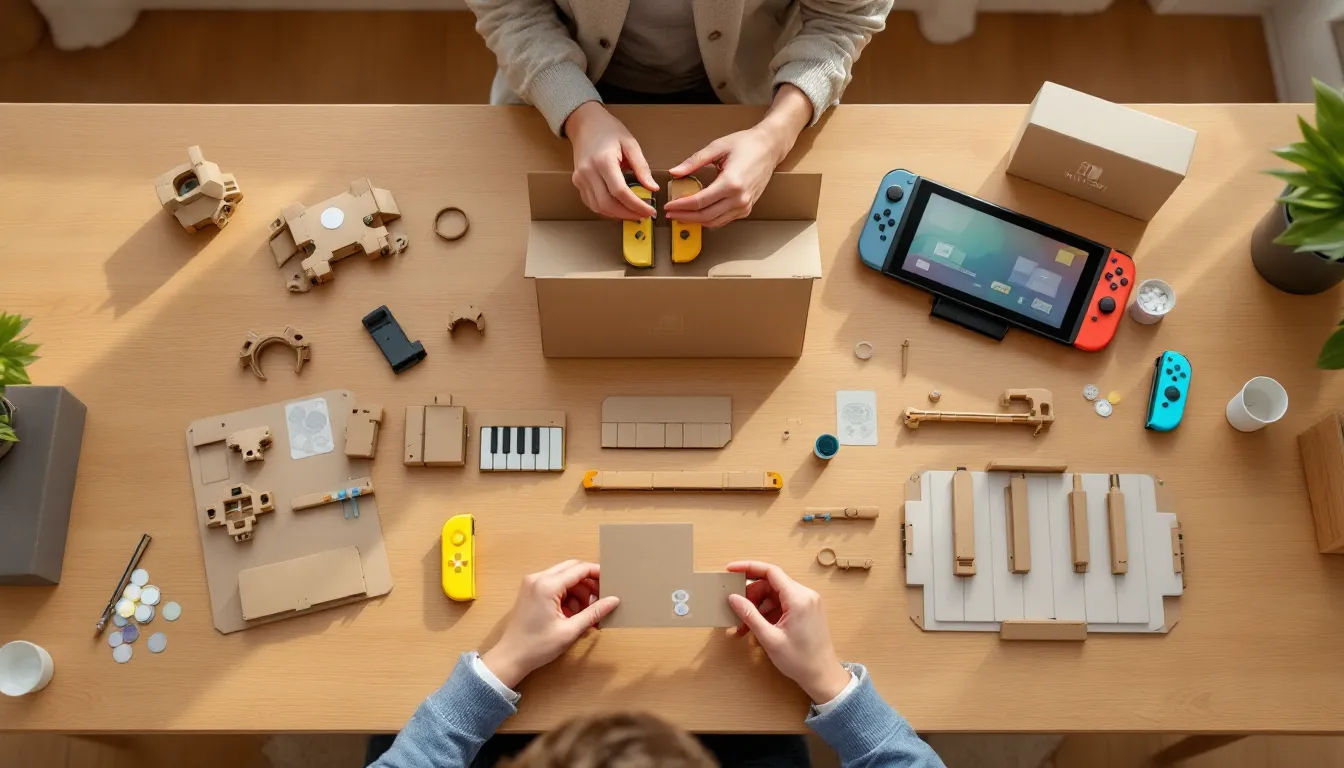
When Nintendo first unveiled cardboard as a gaming peripheral in 2018, the internet collectively raised an eyebrow. Fast-forward to 2026, and the Nintendo Labo Variety Kit remains one of the most inventive, and divisive, products in the Switch library. This isn’t your standard gaming experience. It’s a hybrid DIY construction set, interactive software, and programming playground rolled into one cardboard box. Whether you’re a parent hunting for educational screen time, a creative tinkerer, or just someone curious about what happens when you mix Joy-Cons with folded paper, the Variety Kit delivers something genuinely unique. But does it still hold up years after launch, and is it worth your time and money in 2026? Let’s break down exactly what you’re getting, how it works, and who should actually consider picking this up.
Key Takeaways
- The Nintendo Labo Variety Kit uniquely combines cardboard construction with interactive gaming, featuring five distinct Toy-Con builds that leverage Joy-Con sensors like gyroscopes and IR cameras for responsive gameplay.
- Building Toy-Con requires 10 minutes to 3 hours depending on the project, with interactive 3D instructions that reward patience and precision over speed.
- Toy-Con Garage unlocks the kit’s deeper educational value by teaching visual programming and logic through node-based customization, making it a legitimate STEM teaching tool.
- The Variety Kit appeals most to creative families with kids ages 6-12, DIY enthusiasts, and educators, but offers limited replay value for casual players or those seeking traditional competitive gaming.
- In 2026, complete kits are increasingly rare and expensive, with used copies available for $20-$35—only worth purchasing if you find an undamaged set and match the target audience profile.
What Is the Nintendo Labo Variety Kit?
The Nintendo Labo Variety Kit is Nintendo’s first foray into combining physical construction with digital gameplay. Released on April 20, 2018, it’s essentially a build-your-own controller kit that uses pre-cut cardboard sheets to create interactive accessories called Toy-Con. Each Toy-Con syncs with your Nintendo Switch and Joy-Cons to enable unique gameplay experiences, from racing a motorbike to playing a functioning piano.
This isn’t just a novelty. The Variety Kit is designed to teach basic engineering, logic, and even rudimentary programming through hands-on building and experimentation. Nintendo marketed it as a family-friendly STEM product, and it delivers on that promise, though it requires patience and a decent chunk of table space.
Understanding the Toy-Con Concept
Toy-Con is Nintendo’s term for the cardboard creations you build. Each one functions as a physical controller or input device that interacts with the Switch through the Joy-Cons’ gyroscope, accelerometer, and IR Motion Camera. The Joy-Cons slot into specific parts of each Toy-Con, turning cardboard into responsive hardware.
What makes Toy-Con clever is the integration. The RC Car, for instance, uses the Joy-Con’s HD Rumble feature to vibrate its way across your floor. The Fishing Rod uses string tension and the IR camera to detect when you’ve hooked a virtual fish. It’s low-tech meets high-tech in a way that feels surprisingly polished when it all clicks.
What’s Included in the Box
The Variety Kit comes with:
- 28 cardboard sheets with pre-cut pieces (no scissors needed)
- Reflective stickers, rubber bands, string, and grommets
- Nintendo Labo software (included on a game card)
- Step-by-step interactive instructions via the Switch
You’ll need your own Nintendo Switch and a pair of Joy-Cons, those aren’t included. The cardboard is surprisingly durable, but it’s still cardboard. Treat it roughly, and you’ll be taping corners within a week.
The Five Toy-Con Creations Explained
The Variety Kit includes five distinct Toy-Con builds, each with its own gameplay mode. They range from simple 10-minute projects to multi-hour builds that’ll test your patience and spatial reasoning.
RC Car: Your First Hands-On Build
The RC Car is your introductory project, simple, fast, and immediately satisfying. It takes about 10-15 minutes to fold together a small cardboard body that houses both Joy-Cons. By controlling the intensity and direction of the HD Rumble in each Joy-Con, you steer the car across flat surfaces.
Gameplay is straightforward: use the Switch touchscreen or tilt controls to drive the RC Car around, trigger the IR camera to see a grainy first-person view, or set up obstacle courses. It’s a great proof-of-concept, but the novelty wears off quickly unless you’ve got young kids who think remote-controlled anything is magic.
Fishing Rod: Interactive Underwater Adventure
The Fishing Rod is where the Variety Kit starts to show off. This build takes around 90 minutes and results in a rod-and-reel setup with a working crank, string tension, and a mount for your Switch screen. One Joy-Con sits in the rod handle: the other slots into the reel mechanism.
The fishing game itself is surprisingly deep. You cast into different virtual lakes, reel in fish by cranking the handle, and even battle larger catches that require timing and technique. The IR camera tracks the reel’s rotation, and the Joy-Con’s gyroscope handles rod movement. It’s intuitive, tactile, and oddly meditative, one of the kit’s standout experiences.
House: Virtual Pet Care Reimagined
The House Toy-Con is the quirkiest of the bunch. It’s a small cardboard structure with modular slots where you insert different blocks to interact with a virtual creature living inside your Switch screen. Feed it, play minigames, or mess with its environment by shaking the house or inserting the crank block.
This one’s aimed squarely at younger players. The creature responds to your input with charm, but the gameplay loop is shallow. Unless you’re into virtual pet sims or have a kid under 10, the House won’t hold your attention for long. Build time is around 60-90 minutes.
Motorbike: Racing with Physical Controls
The Motorbike is the kit’s flagship build, a handlebar-and-body setup that takes 90-120 minutes to assemble. You slot both Joy-Cons into the handlebars, which feature a functional ignition button and squeeze-grip accelerator. Lean the bike left or right to steer, twist the right grip to throttle, and hit the ignition to start your engine.
The racing game is arcade-style: complete laps, hit checkpoints, and unlock new courses. It’s not Mario Kart, but the physical feedback is excellent. The motorbike’s design is sturdy enough for enthusiastic leaning, and the gyroscope tracking is responsive. If you’re into motion controls or want a workout-adjacent racing experience, this one delivers.
Piano: A Functioning 13-Key Instrument
The Piano is the most complex build in the kit, clocking in at 2-3 hours depending on your assembly speed. The result is a 13-key cardboard piano with working keys, adjustable waveforms, and even recording functionality. One Joy-Con sits inside the piano body, using the IR camera to detect which keys you’re pressing via reflective stickers on each key’s underside.
You can play melodies, switch between instrument sounds (piano, cat meows, singing voice), and layer tracks to create simple compositions. It’s not a replacement for a real MIDI keyboard, but it’s shockingly functional for cardboard. Nintendo Switch 64 Controller fans will appreciate the retro-inspired modular design approach Nintendo brought to the Labo line. Music enthusiasts and kids interested in sound will get the most mileage here.
Building Your Toy-Con: Step-by-Step Assembly Guide
Building Toy-Con is half the experience. Nintendo designed the process to be intuitive, but it’s still a time investment that demands focus and a clean workspace.
Using the Interactive Instructions
The Labo software includes fully interactive, 3D assembly instructions for every Toy-Con. You can rotate the model, zoom in on tricky folds, rewind steps, and fast-forward when you’ve got the hang of a repetitive process. There’s no voiceover or text, just visual guidance with occasional button prompts.
This approach works beautifully for visual learners, but if you’re someone who prefers written steps or video walkthroughs, you might find it frustrating at first. The pacing is deliberate: Nintendo assumes you’re learning as you build, not racing to the finish. Patience is mandatory.
Tips for a Smooth Building Experience
Here’s what’ll save you headaches:
- Clear a large, flat surface. Cardboard pieces sprawl. You’ll need space to lay out sheets, organize parts, and assemble without knocking things over.
- Follow the instructions exactly. Skipping ahead or improvising will bite you later. Folds have a specific direction for a reason.
- Crease firmly. Pre-scored folds need a solid crease to hold their shape. Use your fingernail or a flat edge.
- Don’t rush. The Piano takes 2-3 hours for a reason. Treat it like a LEGO set, not a speedrun.
- Keep rubber bands and string organized. Losing a grommet or rubber band mid-build is annoying. Use a small dish.
If you’re building with kids, expect to do most of the work yourself unless they’re 10+. Younger children can help with simpler steps, but the precision required for the Piano or Motorbike is beyond most elementary-age hands.
How the Technology Actually Works
The magic of Labo isn’t just clever cardboard, it’s how Nintendo leveraged existing Joy-Con tech in wildly creative ways.
Joy-Con Sensor Integration
Each Joy-Con is packed with sensors: a gyroscope, accelerometer, HD Rumble, and an IR Motion Camera (right Joy-Con only). The Variety Kit exploits all of them.
- Gyroscope and accelerometer track orientation and movement (Motorbike leaning, Fishing Rod angle).
- HD Rumble provides haptic feedback and even powers the RC Car’s movement by vibrating at different intensities.
- IR Motion Camera detects reflective stickers inside Toy-Con builds to track physical input (Piano keys, Fishing Rod reel).
The software does the heavy lifting, translating analog cardboard movements into digital inputs. It’s a brilliant use of hardware Nintendo already shipped with every Switch.
IR Camera and Reflective Stickers
The IR Motion Camera on the right Joy-Con is the unsung hero. It’s a low-resolution infrared camera that detects light and reflective surfaces. According to early reviews on Nintendo Life, this camera can track up to 13 individual points simultaneously, which is exactly how the Piano registers multiple key presses.
Reflective stickers are placed on moving parts inside each Toy-Con. When you press a Piano key, the key’s sticker shifts position. The IR camera sees this change and tells the software which note to play. Same principle applies to the Fishing Rod’s reel, rotation changes the sticker pattern the camera sees, translating physical cranking into virtual reeling.
It’s low-tech optical tracking, but it’s remarkably accurate when the cardboard holds its shape.
Toy-Con Garage: Customization and Programming
Once you’ve built and played with the included Toy-Con, Toy-Con Garage unlocks the real depth. This is Nintendo’s take on visual programming, a node-based interface that lets you remap inputs, create custom interactions, and build entirely new Toy-Con projects from scratch.
Understanding Input and Output Nodes
Toy-Con Garage uses a simple logic structure: Input nodes detect actions (button press, motion, IR camera data), and Output nodes trigger responses (rumble, sound, screen visuals). You connect inputs to outputs with virtual wires, creating cause-and-effect chains.
For example:
- Input: Shake the right Joy-Con → Output: Play a sound effect and display an animation.
- Input: Press the A button → Output: Activate HD Rumble and change screen color.
It’s not full-blown coding, but it introduces core programming concepts, conditionals, variables, timing, in an accessible, visual format. Kids who enjoy Scratch or basic Minecraft redstone will feel right at home.
Creative Projects You Can Build
The community has built some wild stuff using Toy-Con Garage:
- Custom instruments by remapping Piano keys to different sounds or MIDI outputs.
- Motion-controlled games using Joy-Con gyroscopes as steering or aiming inputs.
- Rube Goldberg machines that chain multiple Toy-Con together for sequential reactions.
- Light-gun games using the IR camera to track reflective targets.
Gamers who enjoy tinkering will find Toy-Con Garage endlessly replayable. Casual users might open it once and bounce. There’s no handholding here, you’re expected to experiment and fail until you figure it out. Gaming outlets like IGN highlighted Garage mode as the kit’s hidden gem, especially for educators using Labo in classroom STEM projects.
Pros and Cons of the Variety Kit
Let’s cut through the hype and cardboard dust. Here’s what works and what doesn’t.
Strengths That Make It Stand Out
Innovative use of existing hardware. Nintendo squeezed every ounce of functionality out of the Joy-Cons without requiring external sensors or batteries. It’s engineering elegance wrapped in corrugated paper.
Engaging build process. If you enjoy LEGO, model kits, or hands-on crafts, the assembly is genuinely satisfying. The interactive instructions are some of the best visual guides Nintendo’s ever produced.
Educational value. Toy-Con Garage teaches logic, cause-and-effect, and basic programming in a way that feels like play, not schoolwork. Parents and teachers have used Labo successfully in STEM curricula.
Surprising depth in specific Toy-Con. The Fishing Rod and Piano punch above their weight. They’re not gimmicks, they’re legitimately fun, functional experiences.
Customization potential. Decorate your Toy-Con with markers, stickers, paint, whatever. Nintendo encourages personalization, and the cardboard is a blank canvas.
Limitations to Consider
Durability concerns. It’s cardboard. Drop it, sit on it, or let a pet near it, and you’re rebuilding or buying replacement sheets. Nintendo sold official replacement sets, but availability in 2026 is spotty.
Limited replayability for some Toy-Con. The RC Car and House lose their novelty fast. Unless you’re deep into Toy-Con Garage, you might build them once and never touch them again.
Space and time requirements. You need a large workspace and several uninterrupted hours. Not ideal for cramped apartments or impatient players.
Not a traditional gaming experience. If you’re looking for high-octane action or competitive multiplayer, this isn’t it. Labo is about exploration and creativity, not leaderboards or DPS optimization.
Software updates ceased years ago. Nintendo stopped active support for Labo around 2020. What you see is what you get, no new Toy-Con designs or features are coming. Reviews from GameSpot back in 2018 praised the concept but noted the uncertain long-term support, which proved accurate.
Is the Nintendo Labo Variety Kit Worth It in 2026?
Here’s the real question: should you actually buy this in 2026, eight years after launch?
Who Should Buy This Kit
Parents looking for creative screen time. If you want your kids building, experimenting, and learning instead of just grinding Fortnite matches, Labo is a solid investment. It’s screen time that involves physical activity and problem-solving.
Educators and STEM programs. Toy-Con Garage is a legitimate teaching tool for introducing programming concepts, engineering basics, and creative thinking. Schools and makerspaces have gotten serious mileage out of Labo kits.
DIY enthusiasts and tinkerers. If you’re the type who mods controllers, builds custom PC cases, or enjoys maker culture, Labo scratches that itch. Toy-Con Garage alone offers hours of experimentation.
Collectors and Nintendo fans. Labo is a weird, wonderful footnote in Nintendo history. It’s not for everyone, but it’s undeniably unique. If you’re a completionist or appreciate Nintendo’s willingness to take risks, grab it while you can.
Families with younger kids (ages 6-12). The sweet spot. Old enough to appreciate the builds with help, young enough to be genuinely delighted by cardboard coming to life.
Pricing and Availability Today
New copies of the Variety Kit are increasingly rare in 2026. Retailers like Amazon, Best Buy, and GameStop sold through most stock years ago. You’ll find:
- New copies (if available): $40-$60 USD, often marked up by third-party sellers.
- Used copies: $20-$35 USD on eBay, Facebook Marketplace, or local game shops. Check cardboard condition carefully, warped or torn sheets kill the experience.
- Replacement cardboard sets: Officially discontinued. Some sellers offer third-party reproductions or salvaged sheets, but quality varies.
If you can snag a complete, undamaged kit for under $30, it’s a solid pickup for the target audience. At $60+, you’re paying collector pricing for a product with finite durability.
Bottom line: the Variety Kit remains a fascinating experiment in 2026, but it’s a niche product. If you or your kids fit the target audience, it’s absolutely worth experiencing. If you’re a hardcore gamer looking for the next competitive edge or story-driven epic, move along, this isn’t your game.
Conclusion
The Nintendo Labo Variety Kit is the kind of weird, ambitious project only Nintendo would greenlight, and that’s exactly why it matters. It’s not a flawless product. The cardboard wears out, some Toy-Con are one-trick ponies, and software support dried up years ago. But when it works, it’s genuinely magical. Watching a pile of cardboard transform into a functioning piano or feeling the tactile satisfaction of reeling in a virtual fish, these are moments that remind you why Nintendo has stayed relevant for decades.
In 2026, Labo is a time capsule of Nintendo’s experimental spirit during the Switch’s early years. It won’t replace your competitive shooters or open-world epics, but it offers something increasingly rare in modern gaming: hands-on creativity, low-tech charm, and the simple joy of making something work with your own two hands. If that appeals to you or someone in your household, track down a kit before they disappear entirely. Just clear your calendar, grab some tape for inevitable repairs, and embrace the cardboard chaos.


