
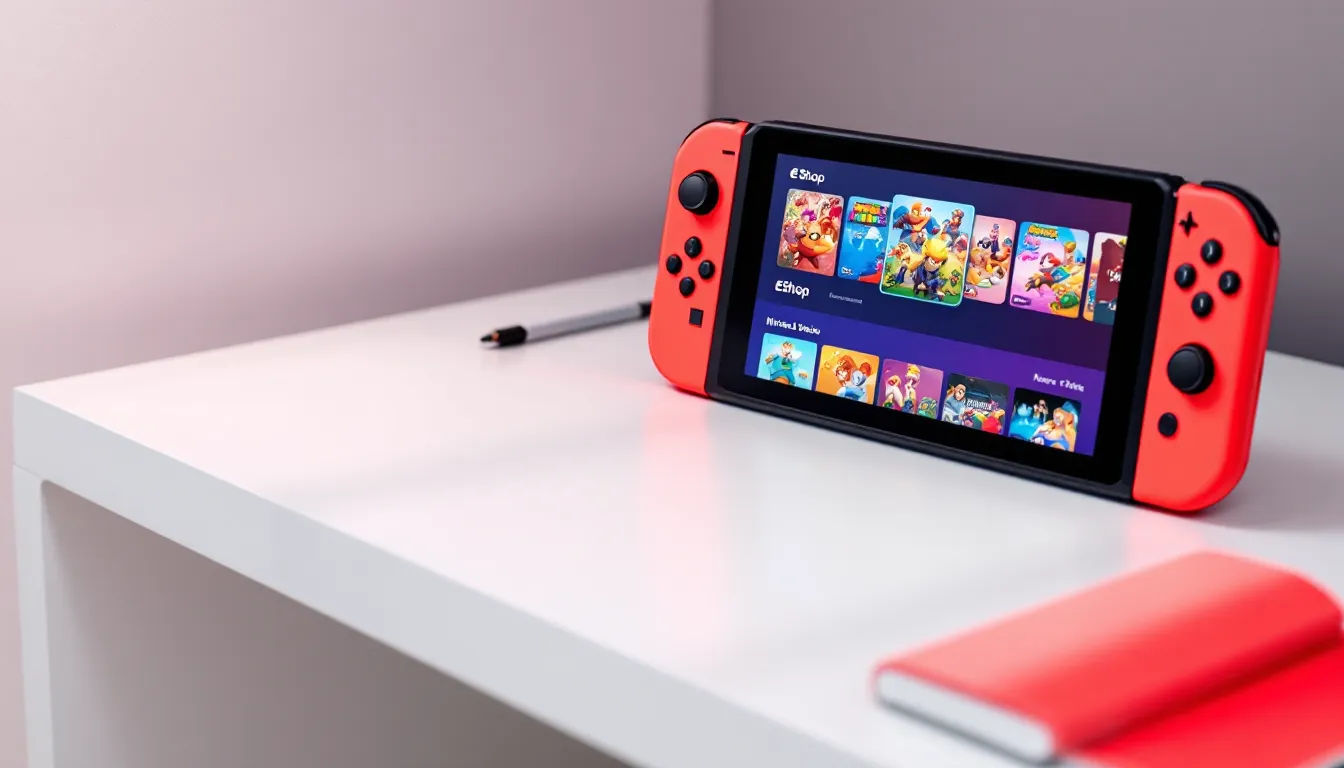
Nintendo eShop codes are the currency that keeps your Switch library growing, whether you’re grabbing the latest first-party release, snagging an indie gem on sale, or topping up funds for DLC. But if you’ve ever hesitated at checkout wondering where to buy codes safely, struggled with a redemption error, or missed out on a deal because you didn’t know where to look, you’re not alone.
This guide breaks down everything you need to know about Nintendo eShop codes in 2026. You’ll learn what types of codes exist, where to purchase them without getting scammed, how to redeem them across multiple methods, and, crucially, how to maximize value through sales, Gold Points, and legitimate free code opportunities. No fluff, just actionable intel to keep your digital wallet stocked and your game library expanding.
Key Takeaways
- Nintendo eShop codes are 16-character alphanumeric strings that add funds or unlock specific games and content across all Switch family devices.
- Buy Nintendo eShop codes exclusively from verified retailers like Best Buy, Target, Walmart, Amazon, or Nintendo’s official store to avoid scams and fraudulent codes.
- Redeem codes either directly on your Switch console via the eShop menu or through your Nintendo Account at accounts.nintendo.com for instant credit.
- Stack discounted eShop codes with seasonal sales like Black Friday, Cyber Deals, and Spring Sales to achieve effective discounts of 15-20% on games and DLC.
- Earn legitimate free credits through My Nintendo’s Gold Points program (5% back on digital purchases) and official giveaways from Nintendo’s social media channels.
- Avoid code generators, survey scams, and social media giveaways asking for account credentials—real Nintendo eShop codes never come from unverified sources.
What Are Nintendo eShop Codes and How Do They Work?
Nintendo eShop codes are 16-character alphanumeric strings that add funds or specific content to your Nintendo Account. When redeemed, they convert into eShop credit (for dollar-value codes) or unlock a particular game, DLC pack, or subscription (for download codes).
Think of them as digital gift cards, but with more flexibility. You can buy a $20 eShop code to add balance, then spend that balance on any combination of games, add-ons, or in-game currency. Alternatively, a game-specific code might give you direct access to Splatoon 3 or a season pass without touching your eShop wallet.
The system works across all Nintendo Switch family devices, Switch, Switch OLED, and Switch Lite. Once a code is tied to your account, the funds or content persist regardless of which console you’re using, as long as you’re logged into the same Nintendo Account.
Types of Nintendo eShop Codes Available
There are three main categories of eShop codes you’ll encounter:
Prepaid eShop Cards (Credit Codes)
These come in fixed denominations, typically $10, $20, $35, and $50 in the US. Redeeming one adds that amount directly to your eShop wallet. You can stack multiple cards, and the balance rolls over indefinitely. Perfect for budgeting or as gifts when you’re not sure what game someone wants.
Game Download Codes
These unlock a specific title. Retailers and Nintendo sometimes bundle these with hardware or offer them as promotional rewards. Once redeemed, the game appears in your library as if you’d purchased it directly from the eShop. Region restrictions apply, more on that later.
Subscription and Service Codes
These grant access to services like Nintendo Switch Online (individual or family plans) or Nintendo Switch Online + Expansion Pack. Codes are available in 12-month, 3-month, or 1-month durations. They stack onto existing subscriptions, extending your membership rather than overlapping.
Where to Buy Nintendo eShop Codes Safely
Buying eShop codes isn’t complicated, but the source matters. Stick to verified retailers to avoid invalid codes, account bans, or outright theft of your money.
Official Nintendo Retailers and Partners
Nintendo’s official store and authorized brick-and-mortar partners are the safest bet. In the US, that includes:
- Nintendo eShop (direct purchase): Buy directly through your Switch console or the Nintendo website. Instant delivery, zero middleman risk.
- Best Buy, Target, Walmart, GameStop: Physical cards on the rack or digital codes via their websites. Frequently included in broader retail promotions (like Target Circle offers).
- Amazon: Sells digital codes with instant email delivery. Codes are backed by Amazon’s customer service, which resolves issues faster than most third parties.
These retailers occasionally run their own promotions, Best Buy’s My Best Buy program sometimes offers bonus points on eShop purchases, and Target’s periodic “buy $50 in gift cards, get $10 off” promos apply to eShop cards.
Digital Retailers and Online Marketplaces
Beyond the big names, several digital storefronts specialize in game codes and often sell eShop credit at a discount:
- PayPal Digital Gifts: Occasionally offers 5-10% discounts on eShop codes, especially during holiday sales.
- Raise, CardCash (gift card resellers): These marketplaces let users sell unwanted gift cards at a discount. You can grab eShop codes for 3-8% off face value, though availability fluctuates. Stick to high-rated sellers.
- Costco (members only): Periodically bundles eShop credit, like $50 worth of codes for $45. Requires membership but delivers solid value if you’re already in the ecosystem.
Avoid gray-market key resellers like G2A or Kinguin for eShop codes. While they work fine for Steam keys, Nintendo is far less forgiving. Codes obtained through fraudulent means can be revoked, and Nintendo may flag your account.
Many gaming enthusiasts track eShop price trends and retailer deals to time their purchases around seasonal promotions.
How to Redeem Nintendo eShop Codes on Switch
Redemption is straightforward, but Nintendo offers two methods depending on whether you’re at your console or away from it.
Redeeming Codes Directly on Your Nintendo Switch Console
This is the fastest route if your Switch is handy:
- Open the Nintendo eShop from your home screen.
- Select your user profile icon in the top-right corner.
- Scroll down and choose “Redeem Code.”
- Enter the 16-character code exactly as printed. Codes aren’t case-sensitive, but watch for common mix-ups like “0” vs “O” or “1” vs “I.”
- Confirm the redemption. Funds appear instantly in your account balance: games begin downloading immediately.
If you’re redeeming a game code, the download starts automatically unless your console is in sleep mode with no Wi-Fi connection.
Redeeming Codes Through the Nintendo Website
If you’re away from your Switch or prefer desktop browsing:
- Log into your Nintendo Account at accounts.nintendo.com.
- Navigate to “Redeem Code” under the eShop section in your account settings.
- Input your 16-character code and click submit.
- Confirm the redemption. Funds are added to your wallet immediately: games will queue for download the next time your Switch connects to the internet.
This method is especially useful if you’re buying codes while traveling or during a sale when you’re not near your console. It also works seamlessly on mobile browsers.
Common Issues When Redeeming Codes and How to Fix Them
Even with a valid code, redemption doesn’t always go smoothly. Here are the most frequent snags and their fixes.
Region Lock Problems and Solutions
Nintendo eShop codes are region-locked. A North American code won’t work on a European or Japanese account, and vice versa. The region is determined by your Nintendo Account’s country setting, not your physical location or console’s region.
Error message: “This code cannot be redeemed in your region” or similar.
Solution:
- Check the code’s region before purchasing. Retailers usually specify “NA,” “EU,” or “JP” in the product listing.
- If you’ve already bought a mismatched code, you have two options: create a secondary Nintendo Account set to the correct region (you can have multiple accounts on one Switch), or try to return/exchange the code with the seller if their policy allows it.
- Changing your account region is possible but comes with restrictions. You can’t change regions if you have remaining eShop balance, active subscriptions, or pre-orders. You’ll also lose access to region-specific DLC or save data in some cases.
Region locks are one reason to double-check retailer listings before hitting “buy.”
Invalid or Already Used Code Errors
“This code has already been redeemed” means exactly what it says, someone (possibly you, if you’ve forgotten) already used the code on an account.
“This code is invalid” usually indicates:
- Typo during entry. Re-enter carefully, especially characters that look similar.
- Damaged or obscured code. Scratch-off cards can make certain digits hard to read. Try different interpretations of ambiguous characters (“8” vs “B,” for example).
- Fraudulent or fake code. If you bought from a sketchy source, the code might never have been valid. Contact the seller immediately.
Steps to resolve:
- Re-enter the code slowly, double-checking each character.
- Try redemption via the website instead of the console, or vice versa, sometimes one method registers codes that the other flags as errors (though this is rare).
- Contact Nintendo Support with proof of purchase. They can verify code validity and, in cases of retailer error, sometimes issue replacements.
- Dispute with your payment provider if the seller won’t refund a non-working code from a third-party marketplace.
Finding the Best Deals on Nintendo eShop Codes
Paying full price for eShop credit is unnecessary when discounts pop up throughout the year. Here’s how to time your purchases.
Seasonal Sales and Promotional Periods
Nintendo and its retail partners follow a predictable sale calendar:
- Black Friday / Cyber Monday (late November): The best annual window for eShop card discounts. Retailers often offer 10-15% off, and some bundle codes with bonus credits. Target, Best Buy, and Amazon typically participate.
- Holiday sales (December): Overlaps with Black Friday momentum. Look for “spend $X, get $Y bonus” promotions at major retailers.
- Back-to-school (August-September): Smaller discounts (5-10%), but still better than face value.
- Prime Day and competing retailer events (July): Amazon and competitors occasionally include eShop codes in their summer sales.
Nintendo itself runs seasonal eShop game sales but rarely discounts the codes directly, retailer promotions are your primary opportunity.
Price Comparison Strategies
Don’t buy the first code you see. A few minutes of comparison shopping can save 5-10%:
- Use deal aggregators like Slickdeals, Reddit’s r/NintendoSwitchDeals, or Honey browser extension to track live discounts.
- Check gift card resale marketplaces (Raise, CardCash) weekly. Inventory changes constantly, and discounts range from 3% to 12% depending on seller urgency.
- Monitor Costco’s digital delivery section if you’re a member. Their eShop bundles don’t appear year-round but offer consistent value when available.
- Stack retailer rewards programs. Buy codes at Target using a RedCard for 5% off, or at Best Buy using My Best Buy points for additional savings.
Some dedicated players maintain a spreadsheet of historical eShop code prices to identify the true “best” deal vs. marketing hype. Over a year, strategic buying can stretch your gaming budget by 10-20%.
How to Get Free Nintendo eShop Codes Legitimately
“Free eShop codes” is a phrase crawling with scams, but there are genuine ways to earn credit without opening your wallet.
Nintendo Rewards Programs and My Nintendo Points
Nintendo’s official loyalty program, My Nintendo, awards points for purchases and activities:
- Gold Points: Earned on digital eShop purchases (5% back) and physical game purchases (1% back when registered). 100 Gold Points = $1 in eShop credit. Points expire 12 months after earning, so use them or lose them.
- Platinum Points: Earned through activities like visiting the eShop weekly, completing missions in select games, or linking social media accounts. These typically redeem for discounts on specific titles rather than straight eShop credit, but seasonal offerings vary.
How to maximize Gold Points:
- Buy digital whenever possible to capture the 5% return.
- Register physical games immediately via the My Nintendo website or the game’s home menu icon (press “+” and select “My Nintendo Rewards Program”).
- Redeem points before they expire. Set a calendar reminder for 11 months post-purchase to check your point balance.
- Combine with sales. Use Gold Points during major eShop sales to stretch them further, $5 in points goes a lot farther during a 50%-off event.
Over a year of active gaming, a player spending $300 digitally can accumulate roughly $15 in Gold Points, enough for an indie title or two.
Giveaways, Contests, and Promotional Events
Legitimate giveaways do exist, but they require diligence to separate from scams:
- Nintendo’s official social media: Occasionally runs sweepstakes tied to game launches or anniversaries. Follow @NintendoAmerica on Twitter/X for announcements.
- Gaming media outlets: Sites like Nintendo Life and GameSpot host periodic code giveaways tied to reviews or sponsored content. Entry methods usually involve social follows or newsletter signups.
- Twitch/YouTube creator giveaways: Some streamers give away eShop codes to celebrate milestones. Stick to verified, partnered creators to avoid fake giveaways.
- Retail promotions: Buying certain games or hardware bundles sometimes includes bonus eShop credit. For example, purchasing a Switch Online family plan during a promo might include a $10 code.
Red flags for fake giveaways:
- Requiring payment or “shipping fees” to claim a prize
- Asking for your Nintendo Account password (never legitimate)
- Promising codes in exchange for completing endless surveys
- DMs from unverified accounts claiming you won a contest you didn’t enter
Real giveaways don’t ask for sensitive info beyond an email address or social handle.
Avoiding Nintendo eShop Code Scams
The promise of free nintendo eshop codes draws scammers like moths to a flame. Here’s how to recognize and avoid them.
Red Flags to Watch For
Scammers rely on urgency, too-good-to-be-true offers, and exploiting your desire for free stuff. Watch for:
- “Code generators” or “eShop code hacks”: These don’t exist. Any site or app claiming to generate working codes is either malware, phishing, or a survey farm that profits from your clicks and never delivers codes.
- Survey loops: “Complete 3 offers to unlock your code.” You finish one, they add two more. It never ends, and you never get a code.
- Social media DMs offering codes: Especially from accounts with low follower counts, generic usernames, or recent creation dates. Legit giveaways announce winners publicly, not via DM.
- Requests for account credentials: No legitimate service needs your Nintendo Account login to send you a code. This is phishing, and you’ll lose your account.
- Codes sold far below face value on sketchy marketplaces: A $50 code listed for $20 from an unknown seller is either stolen, already used, or non-existent.
Case study: In early 2025, a wave of fake “Nintendo 40th Anniversary” giveaway posts circulated on Twitter/X, linking to phishing sites that mimicked Nintendo’s login page. Players who entered credentials had their accounts hijacked and used to make fraudulent purchases. Nintendo had to issue account recovery guidance and reminded users that official giveaways never ask for passwords.
What to Do If You’ve Been Scammed
If you’ve fallen victim, act quickly:
- Change your Nintendo Account password immediately if you shared credentials. Enable two-factor authentication in your account security settings.
- Contact Nintendo Support to report unauthorized purchases or account access. They can sometimes reverse fraudulent transactions and secure your account.
- Dispute charges with your bank or credit card if you paid for codes that never arrived or didn’t work. Most issuers offer fraud protection.
- Report the scam:
- To Nintendo: Via their support page, especially if it involved impersonation of official Nintendo channels.
- To the platform: Report phishing sites to Google Safe Browsing, fraudulent sellers to eBay/Amazon, or scam posts to Twitter/Reddit mods.
- To the FTC: File a complaint at reportfraud.ftc.gov for US-based scams.
- Warn others: Share your experience in gaming communities (r/NintendoSwitch, Discord servers, etc.) to prevent others from falling for the same scheme.
Scammers count on embarrassment keeping victims silent. Speaking up helps protect the community.
Maximizing Your Nintendo eShop Code Purchases
Buying codes at a discount is step one. Stretching every dollar once it’s in your eShop wallet is step two.
Combining Codes with eShop Sales
Nintendo runs multiple sale events annually, and timing your code redemptions around these windows amplifies value:
- Cyber Deals (November/December): Hundreds of titles discounted, including first-party games that rarely drop in price elsewhere.
- Spring Sale (March/April): Coincides with fiscal year-end, often featuring deep cuts on third-party and indie titles.
- Summer Sale (June/July): Broad discounts across genres, with some titles hitting all-time lows.
- Developer/Publisher Sales: Weekly rotating sales from specific studios (Capcom, Ubisoft, indie bundles, etc.).
Pro tip: Load your wallet with discounted eShop codes before a sale starts, not during. If you buy a $50 code at 10% off in late November, you’ve got $50 spending power when Cyber Deals launch, effectively stacking your code discount on top of sale prices.
For example:
- Without stacking: Buy a $40 game at 50% off = $20 spent.
- With stacking: Buy a $50 code at 10% off ($45 out of pocket), use $20 of it during a 50% sale = $20 game cost, but you’ve still got $30 eShop credit and only spent $45 total.
Over multiple purchases, this approach yields an effective discount rate of 15-20% vs. paying full price for both codes and games.
Using Nintendo Gold Points Effectively
Gold Points are easy to overlook, but smart use stretches your budget:
- Apply points at checkout for maximum flexibility. Unlike some reward systems, you can use any amount of points (as low as 100 = $1) without minimum thresholds.
- Combine with sales. Using $5 in Gold Points on a $10 sale title feels better than burning them on a $60 full-price game where they barely register.
- Prioritize expiring points first. Check your My Nintendo account monthly. The system doesn’t auto-apply expiring points, you have to manually select them at checkout.
- Earn points on sale purchases, too. Buying a $20 game on sale still awards 5% in Gold Points (100 points), which you can roll into your next purchase.
Example workflow:
You buy Hollow Knight on sale for $7.50 using 500 Gold Points ($5 off), paying $2.50 out of pocket. That purchase earns you 12 Gold Points back. It’s a small return, but it compounds across dozens of purchases.
Some players treat Gold Points like a secondary budget, using them exclusively for DLC or smaller indie titles to keep their main wallet balance for bigger releases.
Conclusion
Nintendo eShop codes are more than just a payment method, they’re a tool for budget-conscious gamers to stretch every dollar, capitalize on sales, and avoid the pitfalls of scams and region locks. Whether you’re stacking discounted codes from Costco, timing redemptions around Cyber Deals, or grinding out Gold Points through smart digital purchases, the opportunities to maximize value are there if you know where to look.
Stick to verified retailers, watch for seasonal promotions, and treat “free code generator” claims with the skepticism they deserve. Your account security and wallet will thank you. And when you do load up your eShop balance, pair it with sale timing and Gold Points to turn that credit into a library that punches well above its price tag.


