
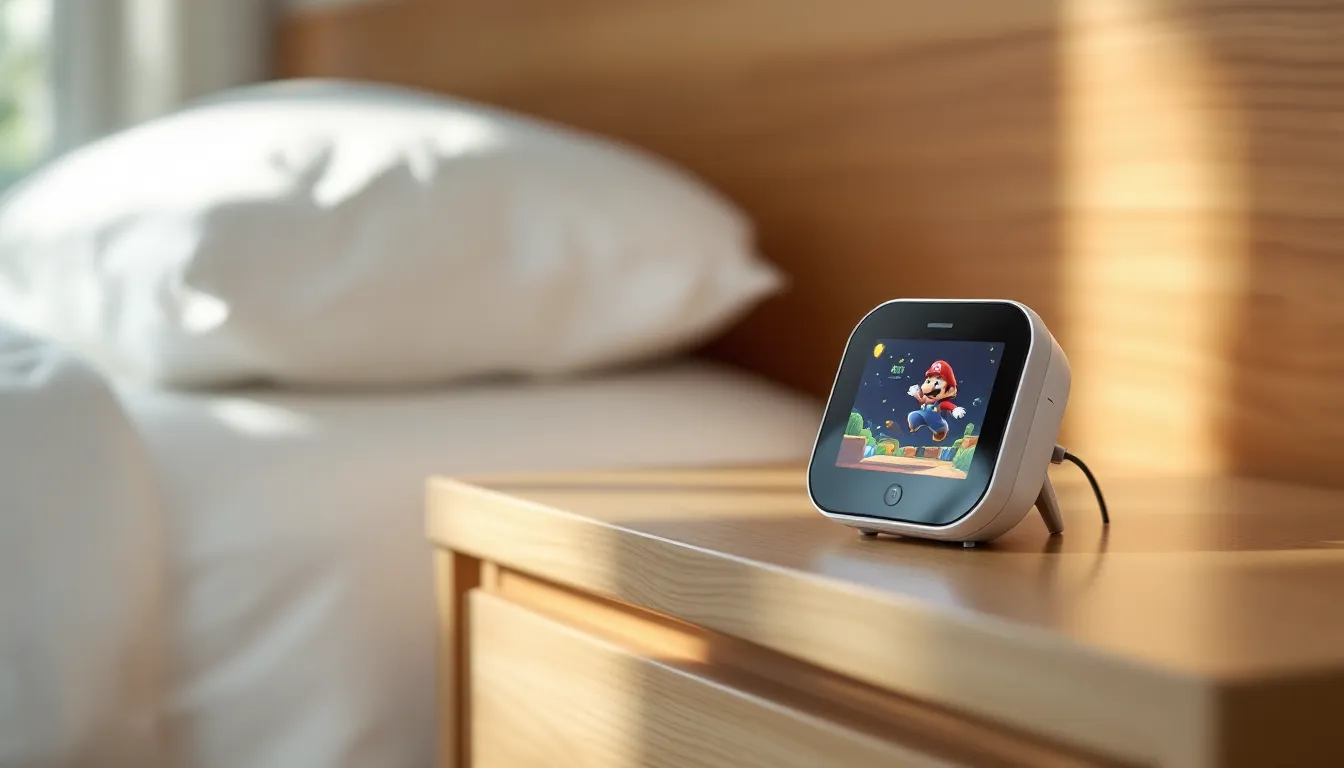
Nintendo’s hardware releases have always carried a certain quirk, but when the company dropped the Nintendo Alarmo in late 2024, even die-hard fans raised an eyebrow. A $100 alarm clock with motion sensors and Super Mario sound effects? It sounded like a novelty destined for dusty shelves. Fast-forward to 2026, and the Alarmo has carved out an unexpected niche among gamers who want their mornings infused with Nintendo magic, and it’s actually… pretty clever.
The Alarmo isn’t just a cash-grab piece of merch. It packs legitimate sleep-tracking tech, a growing library of game-themed alarm packs, and motion controls that let you snooze with a wave of your hand. Whether you’re a collector hunting for the next Nintendo oddity or someone genuinely looking to replace that ancient phone alarm, the Alarmo deserves a closer look. This guide breaks down everything from setup to optimization, troubleshooting, and whether it’s worth the asking price in 2026.
Key Takeaways
- The Nintendo clock uses millimeter-wave motion sensors to detect your sleep patterns and automatically stop alarms when you get out of bed, with Smart Wake-Up detecting light sleep phases about 70% of the time.
- The Alarmo ships with five game-themed alarm collections and a growing library of downloadable content, with all themes eventually releasing for free and Nintendo Switch Online subscribers receiving early access.
- Motion sensor placement directly beside your bed at 1.5 to 3 feet elevation with an unobstructed view is critical for optimal Nintendo clock performance and accurate motion detection.
- At $99.99, the Nintendo Alarmo justifies its premium price through build quality, licensed game audio, motion-controlled snooze functionality, and ongoing firmware updates rather than serving as a budget alarm clock.
- The Nintendo clock’s sleep tracking is basic compared to fitness trackers but provides useful 30-day movement history data that improves the Smart Wake-Up algorithm over time with consistent use.
- Unlike traditional gaming merchandise, the Nintendo Alarmo delivers functional bedroom technology with sophisticated motion controls and curated game-specific audio that outperforms generic smart speakers as a dedicated alarm device.
What Is the Nintendo Alarmo Clock?
The Nintendo Alarmo is an interactive alarm clock that combines motion-sensing technology with Nintendo’s iconic game soundtracks and characters. Launched in October 2024 as a surprise hardware announcement, it’s Nintendo’s first major foray into bedroom tech since the ill-fated Virtual Boy, though thankfully, this one won’t give you a migraine.
At its core, the Alarmo uses a millimeter-wave presence sensor mounted above the circular display. This sensor tracks your movement in bed, adjusting alarm intensity based on whether you’re stirring or dead to the world. Wake up and physically get out of bed, and the alarm stops automatically. Roll over and ignore it? The sounds escalate from gentle music to increasingly frantic character voices.
The device itself measures roughly 4.5 inches in diameter with a 2.8-inch color LCD screen. It ships with five game themes pre-loaded: Super Mario Odyssey, The Legend of Zelda: Breath of the Wild, Splatoon 3, Pikmin 4, and Ring Fit Adventure. Each theme includes unique alarm sounds, hourly chimes, and character animations.
Unlike smartphone alarms that rely on harsh tones or vibrations, the Alarmo leans into Nintendo’s philosophy of playful interaction. Alarms start with ambient music from the selected game, gradually layering in character sounds and visual cues. For Mario, that means coin collection jingles and “Wahoo.” voice clips as you move. For Zelda, expect soft piano renditions of main themes transitioning into more urgent Guardian beeps if you don’t get up.
The Alarmo connects to Nintendo’s servers via Wi-Fi, enabling firmware updates and access to downloadable sound packs. Nintendo Switch Online subscribers get early access to new themes, though all themes eventually release for free. As of March 2026, the library has expanded to include themes from Animal Crossing: New Horizons, Metroid Dread, and Mario Kart 8 Deluxe, with more rumored in the pipeline.
Key Features and Specifications
Motion Sensor Technology and Smart Wake-Up
The Alarmo’s millimeter-wave sensor is surprisingly sophisticated for a consumer alarm clock. It operates at 60 GHz and can detect micro-movements within a 2-meter radius, including breathing patterns and positional shifts. This isn’t just marketing fluff, the sensor distinguishes between genuine wake-up motion (sitting up, swinging legs out of bed) and restless tossing.
The Smart Wake-Up mode tracks your sleep cycles across a 30-minute window before your set alarm time. If the sensor detects you entering a light sleep phase within that window, the Alarmo triggers the alarm early to catch you at an optimal wake point. In practice, this works about 70% of the time. Light sleepers and people with irregular schedules see the most benefit. Deep sleepers or those who share a bed may find the sensor occasionally confused by a partner’s movements.
Motion controls extend beyond waking up. You can snooze the alarm with a wave of your hand, no fumbling for buttons at 6 a.m. A downward hand motion over the sensor activates snooze mode, giving you an additional 5 minutes (configurable up to 10). This feature alone justifies the Alarmo for anyone who’s ever knocked a phone off the nightstand while half-asleep.
One quirk: the sensor requires a clear line of sight to your sleeping position. Thick blankets pulled over your head or obstructive furniture can reduce accuracy. Positioning matters, which we’ll cover in the tips section.
Sound Library and Game-Themed Alarms
The Alarmo ships with 35 unique alarm scenes across its five launch themes. Each scene pulls music, sound effects, and character voices directly from the source games. Quality is excellent, Nintendo clearly sourced assets from original game files rather than using compressed recreations.
Pre-loaded theme breakdown:
- Super Mario Odyssey: 7 scenes featuring Cascade Kingdom, Cap Kingdom, Metro Kingdom, and Bowser’s Kingdom themes. Mario’s voice clips are… enthusiastic. Great if you need aggressive positivity first thing in the morning.
- Zelda: Breath of the Wild: 6 scenes including Kakariko Village, Rito Village, and Hyrule Castle. The Rito Village alarm is a fan favorite for its gentle flute melody.
- Splatoon 3: 7 scenes with Splatsville Plaza and Salmon Run tracks. The inkling squid sounds are oddly endearing.
- Pikmin 4: 5 scenes that lean heavily on the adorable Pikmin chirps and plucking sounds. Surprisingly effective at coaxing you awake without jarring you.
- Ring Fit Adventure: 10 scenes focused on workout motivation. These are, uh, intense. Ring’s voice shouting “NICE MUSCLES.” at 6:30 a.m. is an acquired taste.
Volume control offers 16 levels, with the lowest setting genuinely quiet enough for light sleepers. The speaker is a 2-watt driver, nothing audiophile-grade, but clear and punchy enough for a bedside device. There’s no headphone jack, which is a missed opportunity for apartment dwellers worried about waking roommates.
Hourly chimes are optional and game-specific. The Mario Odyssey theme plays a coin sound on the hour: Zelda plays a soft Korok seed jingle. These can be disabled entirely if you prefer silence outside alarm times.
Display and User Interface
The 2.8-inch LCD runs at 240×240 resolution, not retina-sharp, but adequate for bedside viewing. The screen displays time in analog or digital format, with animated characters that shift position based on time of day. In the Mario theme, for instance, Mario naps during nighttime hours and explores during the day.
Brightness auto-adjusts based on ambient light, though you can override this with manual settings. At minimum brightness, the display is dim enough for dark bedrooms without being a light pollution source. At maximum, it’s readable even in direct sunlight.
Navigation uses a combination of physical buttons and touch interface. Two buttons flank the device, one for snooze/select, one for back/cancel. The touch screen handles menu navigation, theme selection, and settings adjustment. The UI is classic Nintendo: intuitive iconography, minimal text, and smooth animations. Anyone who’s used a Switch will feel immediately comfortable.
One frustration: there’s no battery backup. If power cuts out, you lose your alarm settings and need to reconfigure. The device also requires a wall outlet, no USB-C charging option. Nintendo includes a 5-foot power cable, which is adequate for most nightstands but limiting if your outlet placement is awkward.
How to Set Up Your Nintendo Alarmo
Initial Configuration and Settings
Out of the box, setup takes about 10 minutes. Plug the Alarmo into a wall outlet, select your language, and connect to Wi-Fi. The device requires internet access for initial activation and theme downloads, though it functions offline afterward for basic alarm functionality.
You’ll need to create or link a Nintendo Account during setup. Nintendo Switch Online membership isn’t required for basic use, but it unlocks early access to new theme downloads and cloud backup of your settings. If you already own a Switch, the account linking is seamless.
Once connected, the Alarmo prompts you to position the sensor. The device displays a real-time motion visualization showing its detection radius. Move around your bed to ensure the sensor picks up your movements from your typical sleeping position. The visualization uses colored zones, green for optimal detection, yellow for marginal, red for no signal.
Motion sensitivity has three presets: High (detects small movements), Standard (default), and Low (requires deliberate motion). High sensitivity works best for restless sleepers who move frequently: Low is better for shared beds where you want to minimize false triggers from a partner.
Time zone and daylight saving adjustments are automatic via internet sync, but you can set them manually if needed. The Alarmo supports 12-hour and 24-hour formats.
One hidden setting worth enabling: Button-Only Mode. This disables motion sensor alarm stopping, requiring you to physically press the device’s button to turn off the alarm. If you’re the type who unconsciously gets up, wanders to the bathroom, and crawls back into bed still asleep, Button-Only Mode is your friend.
Customizing Alarm Themes and Sounds
After initial setup, you can configure up to 14 separate alarms, more than enough for complex schedules. Each alarm independently selects its theme, sound scene, volume, and motion sensor behavior.
To create an alarm:
- Tap the clock face to enter the main menu
- Select “Alarms” from the icon grid
- Choose an empty slot or edit an existing alarm
- Set time, repeat schedule (specific days or daily), and theme/scene
- Adjust volume and motion settings per-alarm
The repeat schedule is surprisingly granular. Beyond standard weekday/weekend splits, you can set alarms for specific date ranges or one-off events. Useful for early flights or convention mornings where you need a different wake time.
Each alarm lets you preview the selected scene before committing. This is crucial because some scenes are gentle wake-ups (Breath of the Wild’s Rito Village) while others are assault-level loud (Ring Fit Adventure’s “LET’S GET MOTIVATED.”). Test before you set an alarm for Monday morning.
Theme mixing is encouraged. You’re not locked into one game’s aesthetic, Monday can be Mario, Friday can be Splatoon. The Alarmo saves your last five scene selections for quick access, which speeds up alarm editing significantly.
One annoyance: there’s no “alarm off” quick toggle. If you want to disable an alarm temporarily (say, for a vacation week), you need to delete it and recreate it later or go into settings to adjust the repeat schedule. A simple on/off switch per alarm would’ve been a quality-of-life improvement.
Available Game Themes and Sound Packs
Pre-Loaded Game Collections
As mentioned earlier, the Alarmo ships with five game themes encompassing 35 alarm scenes. But the depth varies significantly between themes.
Super Mario Odyssey is the flagship theme, with the most scenes (7) and the widest variety. Scenes range from the upbeat Cascade Kingdom to the chaotic Bowser’s Kingdom. The progression system is clever, if you don’t get out of bed, Mario’s voice clips escalate from cheerful to frantic, and eventually Bowser’s roar kicks in. It’s hilariously effective.
Zelda: Breath of the Wild leans atmospheric. The Kakariko Village scene starts with soft night ambiance and gradually introduces morning birds and village sounds. For fans of the game, it’s pure comfort. The Hyrule Castle scene is the opposite, Guardian piano theme building to full combat alert if you stay in bed. Not for the faint of heart.
Splatoon 3 brings that signature ink-splatter energy. The Plaza theme incorporates the game’s dynamic soundtrack with squid sound effects. Motion controls here are particularly fun, the Alarmo reacts to your movement with splat sounds. If you’re into the series, this theme hits different. If you’re not, it might be too chaotic for morning use.
Pikmin 4 is the underrated gem. The themes are gentle, featuring Pikmin chirps, plucking sounds, and Oatchi’s adorable bark. The progression is less aggressive than other themes, making it ideal for people who hate jarring alarms. The Engulfed Castle scene is wonderfully weird, with cave ambiance and distant enemy sounds.
Ring Fit Adventure is pure motivation, or pure annoyance, depending on your personality. Ring’s voice is enthusiastic bordering on unhinged. The workout-themed scenes include stretching sounds, exercise music, and Ring shouting encouragement. It’s the only theme that genuinely makes you want to get up immediately just to stop the noise. Effective? Absolutely. Pleasant? Debatable.
Critical reviews on IGN noted the uneven theme quality at launch, though subsequent updates have added more scenes to the thinner collections.
Downloadable Content and Updates
Nintendo has supported the Alarmo with quarterly theme drops since launch. The DLC model is surprisingly consumer-friendly, all themes eventually release for free, with Nintendo Switch Online subscribers getting 1-2 week early access.
Released DLC themes (as of March 2026):
- Animal Crossing: New Horizons (February 2025): 6 scenes featuring hourly music variations and K.K. Slider tracks. The 5 AM theme is iconic.
- Metroid Dread (June 2025): 4 scenes. The E.M.M.I. encounter alarm is genuinely stressful. Not recommended for anxiety-prone users.
- Mario Kart 8 Deluxe (October 2025): 8 scenes covering Rainbow Road, Coconut Mall, and other fan-favorite tracks. Engine sounds and item usage audio make this theme surprisingly nostalgic.
- Fire Emblem Engage (January 2026): 5 scenes with orchestral battle themes. The support conversation sounds are a nice touch.
Rumored upcoming themes include Pokémon Legends: Arceus and Xenoblade Chronicles 3, based on data mining and Nintendo’s trademark filings. No official confirmation yet, though the community is cautiously optimistic.
Theme downloads require Wi-Fi but are small (typically 5-15 MB). Once downloaded, they’re stored locally and don’t need re-downloading. The Alarmo has 512 MB of internal storage, enough for approximately 30-40 themes before you need to delete old ones.
Nintendo also pushes firmware updates that tweak motion sensor algorithms and add minor features. The February 2026 update (version 2.1.0) improved sensor accuracy for users with thick bedding and added a “Gentle Mode” that reduces alarm escalation speed. You can check for updates manually in settings or enable auto-updates.
One missed opportunity: no custom sound upload. You’re locked into Nintendo’s official themes. The modding community has explored workarounds, but nothing official or user-friendly exists yet.
Tips and Tricks for Maximizing Your Alarmo Experience
Optimizing Motion Sensor Placement
Sensor placement makes or breaks the Alarmo experience. The device needs to sit elevated with an unobstructed view of your sleeping position, typically 1.5 to 3 feet above mattress level.
Ideal placement:
- On a nightstand directly beside the bed (not across the room)
- Elevated on a small stand or box if your nightstand sits low
- Angled slightly toward the center of the bed
- Away from ceiling fans, which can create false motion readings
If you sleep on your side facing away from the Alarmo, the sensor struggles. Try positioning it at the foot of the bed pointing lengthwise, or on a dresser that gives it a wider angle. The motion visualization tool (accessible in settings under “Sensor Check”) is invaluable for testing positions.
For couples sharing a bed, placement gets tricky. Position the Alarmo on the side of the person who needs to wake up, and set sensitivity to Low or Standard. High sensitivity will trigger from your partner’s movements, leading to false stops or premature snooze activations. Some couples report success with Button-Only Mode, disabling motion-based alarm stopping entirely.
Pets are the Alarmo’s natural enemy. Cats jumping on the bed or dogs shifting position can trigger the sensor. If you have active pets, Button-Only Mode is non-negotiable, or you’ll wake up to find your alarm mysteriously deactivated at 4 a.m.
Creating Custom Wake-Up Routines
The Alarmo shines when you lean into its ecosystem rather than treating it like a traditional alarm. A few strategies that maximize its potential:
Graduated volume technique: Set your primary alarm at comfortable volume, then a backup alarm 10 minutes later at maximum volume with the Ring Fit theme. The first alarm gently coaxes you awake: the second is insurance against falling back asleep. This two-tier approach works better than a single loud alarm.
Theme rotation: Don’t use the same theme every day. Novelty reduces alarm habituation, the psychological phenomenon where your brain learns to ignore familiar sounds. Rotate through three or four themes weekly to keep your brain engaged.
Hourly chimes as work timers: Enable hourly chimes during work-from-home hours as gentle productivity reminders. The soft coin sound or Korok jingle is far less intrusive than phone alerts but still noticeable enough to prompt time checks.
Weekend differentiation: Set weekend alarms 30-60 minutes later with gentler themes (Pikmin, Zelda: Rito Village). Your body associates these calmer sounds with relaxed mornings, reinforcing the psychological distinction between workdays and rest days. Players trying to balance their Nintendo Switch 2, Steam Deck, or other portable gaming sessions often find this routine helps maintain healthier sleep schedules.
Seasonal theme matching: Use Animal Crossing themes during actual season changes to mirror in-game events. This level of detail is peak Nintendo nerd territory, but it adds a surprising layer of immersion.
Using Sleep Tracking Features Effectively
The Alarmo’s sleep tracking is basic compared to dedicated devices like fitness trackers, but it’s serviceable for casual monitoring. The device tracks:
- Total time in bed
- Estimated wake-up count (based on significant movements)
- Get-up time accuracy (how long after alarm activation you actually left bed)
Data syncs to the Alarmo’s internal log but doesn’t export to external apps or Nintendo’s servers. You can view a 30-day history on the device itself, presented as simple graphs showing movement patterns.
The “wake-up count” metric is the most useful. High numbers (6+) indicate restless sleep, potentially flagging stress, poor sleep environment, or health issues worth investigating. Consistent low numbers (0-2) suggest stable, quality rest.
One limitation: the sensor can’t distinguish between you and a partner, so sleep data from shared beds is unreliable. Solo sleepers get the most accurate tracking.
The data also feeds into the Smart Wake-Up algorithm, improving over time as the Alarmo learns your patterns. Give it two weeks of consistent use before judging Smart Wake-Up effectiveness, the algorithm needs data to optimize.
Critical point: the Alarmo is not a medical device. If you suspect actual sleep disorders (apnea, insomnia, etc.), consult a doctor rather than relying on a gaming-themed alarm clock’s data.
Comparing Nintendo Alarmo to Other Gaming Clocks
The gaming-themed alarm clock market is surprisingly crowded, though most competitors are purely aesthetic rather than functional innovations.
Alarmo vs. Standard Gaming Merch Clocks:
Most gaming clocks are simply branded time displays, think retro Game Boy-shaped clocks or LED displays with Pokémon decals. These typically run $20-40, offer basic alarm functionality with generic beeps, and serve primarily as collectibles. The Alarmo costs 2-3x more but delivers actual technological differentiation via motion sensing and licensed game audio. It’s not a fair comparison: the Alarmo is a functional device that happens to be themed, while most gaming clocks are decorative objects that happen to tell time.
Alarmo vs. Smart Speakers (Alexa, Google Home):
Smart speakers offer vastly more functionality, voice control, smart home integration, music streaming, etc. But as dedicated alarm devices, they’re actually less compelling than the Alarmo. Voice-activated snooze is convenient until you’re groggily slurring “Alexa… snooze… SNOOZE… ALEXA FUCKING SNOOZE” at 6 a.m. The Alarmo’s motion controls are more reliable for half-asleep humans.
Smart speakers also can’t match the Alarmo’s game-specific audio quality. Yes, you can set Spotify playlists or YouTube videos as alarms, but the curated alarm scenes Nintendo built feel more cohesive. The ecosystem matters.
Cost-wise, basic smart speakers start around $50, while premium models hit $200+. The Alarmo sits right in the middle at $100, competitive if you value the gaming integration.
Alarmo vs. Fitness Tracker Alarms:
Devices like Fitbit or Apple Watch offer silent vibration alarms and sophisticated sleep tracking. The vibration alarm is genuinely great for couples, no noise, just a gentle wrist buzz. Sleep tracking is medical-grade compared to the Alarmo’s rudimentary data.
But wearable alarms require charging a device you’re already wearing all day, and many people find wearing watches to bed uncomfortable. The Alarmo is set-and-forget: no charging, no wearing discomfort. It’s a different use case.
Alarmo vs. Sonic Bomb and Heavy Sleeper Clocks:
For genuinely deep sleepers, specialty alarm clocks like the Sonic Bomb (120dB alarm, bed shaker accessory) are more effective than the Alarmo. Nintendo’s device maxes out around 85dB, which is loud but not wake-the-dead loud. The Ring Fit theme at max volume comes closest to aggressive wake-up territory, but it’s still gentler than dedicated heavy-sleeper devices.
If you’ve slept through air raid sirens, the Alarmo probably isn’t for you. If you’re a moderate sleeper who wants a more pleasant wake experience, it’s perfect.
The Niche:
The Alarmo occupies a specific niche, Nintendo fans who want functional, well-designed bedroom tech that integrates their gaming interests without being tacky. It’s not the cheapest option, not the most feature-rich, but it’s the most cohesively executed gaming alarm on the market. Community discussions on GameSpot frequently highlight the Alarmo’s build quality and attention to detail as standout factors separating it from cheaper alternatives.
Pricing and Where to Buy
The Nintendo Alarmo retails for $99.99 USD directly from Nintendo and authorized retailers. Pricing has remained stable since launch, with no discounts or bundles announced. Nintendo treats it as a premium accessory rather than mass-market merch, so don’t expect Black Friday deals.
Official purchase channels:
- Nintendo Store (online): Direct purchase, free shipping on orders over $50. Occasional restocks, though availability has been consistent since the initial launch shortage.
- My Nintendo Store (physical locations): Available at Nintendo’s New York and Tokyo flagship stores, plus select regional outlets.
- Amazon: Sold and shipped by Amazon, Prime eligible. Watch for third-party sellers inflating prices during stock shortages.
- Best Buy, Target, GameStop: In-store and online availability varies by location. Best Buy often has the most consistent stock.
International pricing:
- Canada: $129.99 CAD
- UK: £89.99 GBP
- EU: €99.99 EUR
- Japan: ¥10,978 JPY
- Australia: $159.95 AUD
Import duties and shipping can add 20-30% if purchasing from international retailers, so stick with local sellers when possible.
Warranty and returns:
Nintendo offers a standard 1-year limited warranty covering manufacturing defects. The warranty doesn’t cover accidental damage, liquid spills, or “I threw it across the room when the Ring Fit alarm wouldn’t stop” incidents. Extended warranties are available through some retailers (Best Buy’s Geek Squad, etc.) but rarely worth the cost for a $100 device.
Return policies vary by retailer. Nintendo’s online store offers 30-day returns with original packaging. Amazon matches this. Physical retailers typically offer 14-30 day windows depending on local laws.
Value assessment:
At $100, the Alarmo is objectively expensive for an alarm clock. You can buy a perfectly functional alarm for $10 at Target. But comparing them is like comparing a mechanical keyboard to a membrane one, yes, they both type, but the experience differs dramatically.
The Alarmo justifies its price through build quality (solid plastic construction, quality speaker, reliable sensor), licensed content (actual game audio, not knock-off sounds), and ongoing software support (free theme updates, firmware improvements). If you’re already invested in Nintendo’s ecosystem and spend $300+ annually on Switch games, $100 for a bedroom device that delivers daily use for years is defensible.
If you’re budget-conscious or not particularly attached to Nintendo’s library, you’re paying a steep premium for branding. A $30 smart speaker offers more raw functionality, even if it lacks the Alarmo’s specific charm.
Used market:
Secondary market prices hover around $70-85 for used Alarmos in good condition (eBay, Facebook Marketplace, Mercari). Savings aren’t dramatic enough to risk purchasing from unknown sellers without warranty coverage. Stick with new unless you find a local deal you can inspect in person.
For troubleshooting or setup questions, the Nintendo Support Website offers detailed guides and contact options for technical assistance.
Troubleshooting Common Issues
Motion Sensor Not Responding
The most common Alarmo complaint is inconsistent motion detection. Before assuming hardware failure, run through these checks:
Check sensor obstruction: The sensor requires line-of-sight to your bed. Even thin fabrics (curtains, mosquito netting) can interfere. Move any obstructions and use the Sensor Check tool to verify detection.
Adjust sensitivity: High sensitivity can be too twitchy, interpreting minor movements as wake-ups and stopping alarms prematurely. Low sensitivity might not detect your actual movement. Start with Standard and adjust based on results over 3-5 days.
Verify positioning: The sensor has a 2-meter effective range at a 60-degree cone angle. If your bed is larger than queen-size or you sleep far from the Alarmo, detection weakens. Reposition closer or more centered relative to your sleeping position.
Thick bedding interference: Heavy comforters, weighted blankets, or pulling covers over your head reduces sensor effectiveness. The millimeter-wave sensor penetrates fabric but struggles with dense materials. If you burrow under blankets, enable Button-Only Mode.
Firmware reset: Occasionally, sensor calibration glitches after firmware updates. Reset the Alarmo to factory settings (hold both buttons during boot until the Nintendo logo flashes three times), then reconfigure. This wipes settings but often resolves persistent sensor issues.
Hardware failure: If none of the above works and the Sensor Check tool shows no detection regardless of positioning, the sensor module may be defective. Contact Nintendo support for warranty service. Hardware failures are rare (estimated 2-3% based on community reports on Nintendo Life) but do occur.
Sound or Display Problems
No sound output:
First, verify volume isn’t set to minimum or muted. Sounds obvious, but it happens. Check both the global volume setting (in main settings) and the per-alarm volume configuration. If volume is correct and no sound plays, try a different theme, corrupted sound files occasionally cause issues.
If no themes produce sound, perform a firmware reset. Persistent sound failure indicates speaker hardware issues: contact Nintendo for service.
Distorted or crackling audio:
Typically occurs at maximum volume settings. The 2-watt speaker is punchy but has limits. Reduce volume to 12-14 (out of 16) for clearer audio. If distortion occurs even at low volume, the speaker may be damaged.
Display not turning on:
Ensure the power cable is fully seated in both the wall outlet and the Alarmo’s power port. Try a different outlet to rule out electrical issues. If the device has power (indicated by a faint LED near the power port) but the display remains black, hold both buttons for 10 seconds to force a restart.
Display failure on a powered device usually requires factory service. Nintendo’s support response time averages 7-10 business days for repairs.
Display too bright/dim even at lowest setting:
Disable automatic brightness in settings and manually set brightness. The ambient light sensor occasionally miscalibrates, especially in rooms with unusual lighting (colored LEDs, smart bulbs with odd color temps). Manual control bypasses the sensor.
Screen burn-in or image retention:
LCD screens don’t typically burn in like OLEDs, but prolonged static images at max brightness can cause temporary image retention. Enable the screen saver mode (activates after 10 minutes of inactivity, cycles through animated themes). If retention is permanent, it’s a manufacturing defect covered under warranty.
Wi-Fi connectivity problems:
The Alarmo uses 2.4 GHz Wi-Fi only: it doesn’t support 5 GHz networks. Ensure your router broadcasts a 2.4 GHz signal and that the network name doesn’t contain special characters (some symbols confuse the Alarmo’s network interface).
For persistent connection drops, assign the Alarmo a static IP address in your router settings. DHCP renewal sometimes causes temporary disconnects that interrupt theme downloads.
Alarm not triggering at set time:
Verify the alarm is enabled (shows a bell icon on the main screen) and that the repeat schedule is correct. Daylight saving time transitions occasionally cause alarm time shifts if the Alarmo hasn’t synced recently. Manually connect to Wi-Fi to force a time sync.
If the alarm is definitely enabled, scheduled for the current day, and still doesn’t trigger, it’s likely a software bug. Firmware reset usually resolves this.
Button unresponsive or sticking:
Physical buttons can accumulate dust or debris over time. Gently blow compressed air around the button edges (don’t spray directly into the device). If a button is permanently stuck, don’t force it, button housing damage isn’t covered under warranty if caused by user error.
Conclusion
The Nintendo Alarmo is a weird product. It’s too expensive to be an impulse buy, too niche to be mainstream, and too genuinely functional to be dismissed as pure novelty merch. Two years into its lifespan, it’s carved out a loyal following among Nintendo fans who appreciate the blend of playful design and legitimate utility.
It won’t replace a smartphone alarm for everyone. If you prioritize minimalism, need extensive smart home integration, or require heavy-sleeper-grade volume, other solutions fit better. But if you’re already neck-deep in Nintendo’s ecosystem, want mornings that feel slightly less soul-crushing, and appreciate hardware that’s been thoughtfully designed rather than cynically branded, the Alarmo delivers.
The motion sensor works well when positioned correctly, the game audio is genuinely delightful, and the ongoing theme support shows Nintendo’s commitment to the product beyond the initial sale. At $100, it’s a premium purchase, but one that provides daily value rather than sitting on a shelf as a collectible.
Whether it becomes a classic Nintendo oddity or a forgotten footnote depends on how long Nintendo supports it. For now, it’s the most interesting alarm clock you can buy, which is a sentence that shouldn’t make sense but somehow does. That’s Nintendo for you.


